01
Build your scene
Start with a studio environment. Add subjects, furniture, props and the elements your shot needs.

StrobeRoom gives you a place to work through the setup, test the frame and document what needs to happen on set.
Start with a studio environment. Add subjects, furniture, props and the elements your shot needs.
Add fixtures and modifiers. Adjust position, direction, intensity and colour to shape the light.
Select a camera and lens, set exposure and image parameters, then inspect the camera preview.
Generate a shoot sheet with the plan, frames, equipment details, build order and notes.
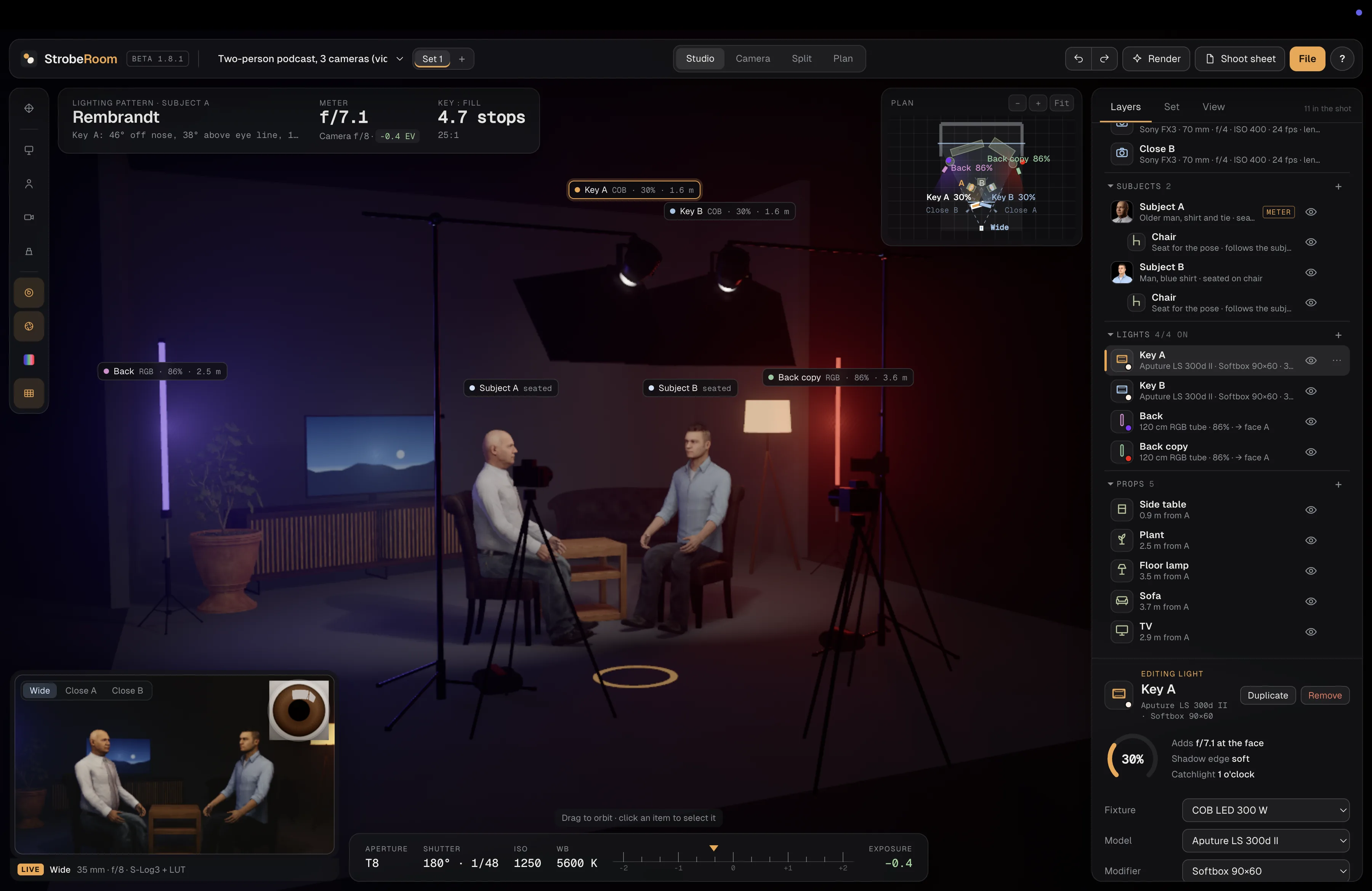
Use Studio to work in the 3D environment, Camera to focus on the frame, Split to see both at once, or Plan to work from above.
See example setups →