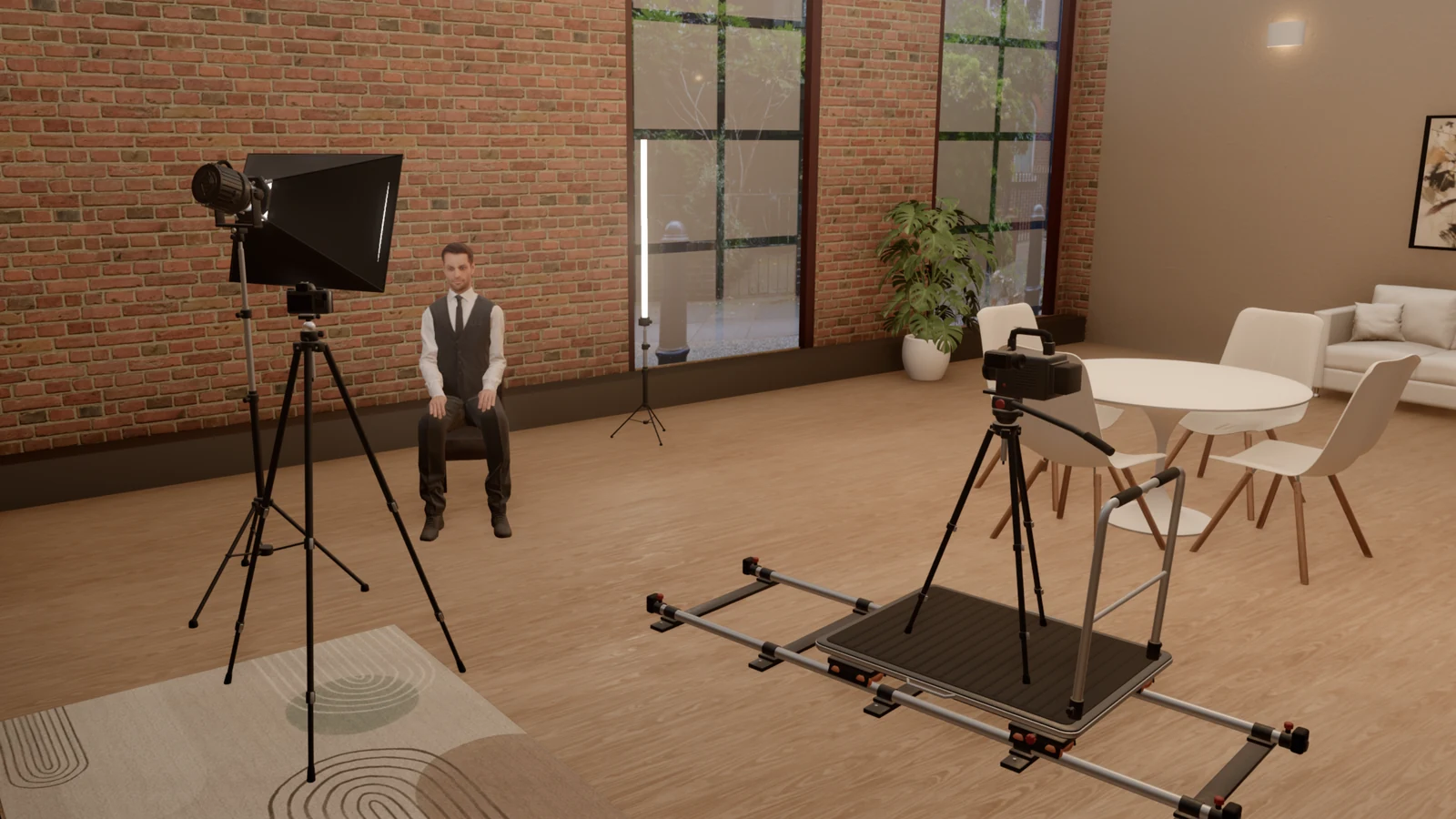
StrobeRoom 1.14 is about gear. A lighting plan is only useful if you can build it with what is in your cases, so the app now knows what you own. The camera can ride a dolly. A light from behind finally shows on hair. And the cameras in the studio stopped being one generic body: each of them is drawn in its own shape, at its real size.
This post covers 1.14 and 1.14.1 together. It is a long one, so we wrote it as a short guide too: each part says what changed, why, and where to find it in the app, with the menus marked in the pictures. The meter reads the same as before on every built-in setup.
If you have 38 seconds, the film below goes through the camera bodies, the log profiles, the dolly and My kit.
- My kit
- A dolly for the camera
- Hair lights
- Every camera in its own shape
- 48 more camera bodies
- Log profiles for each body
- 66 more lights by name
- Bug fixes
- The cafe set
My kit: plan with the gear you own
Until now every light, modifier and camera in the lists was equally available, whether you owned it or not. A setup could look right on screen and still be one you could not build on the day. So we added a place to say what you have.
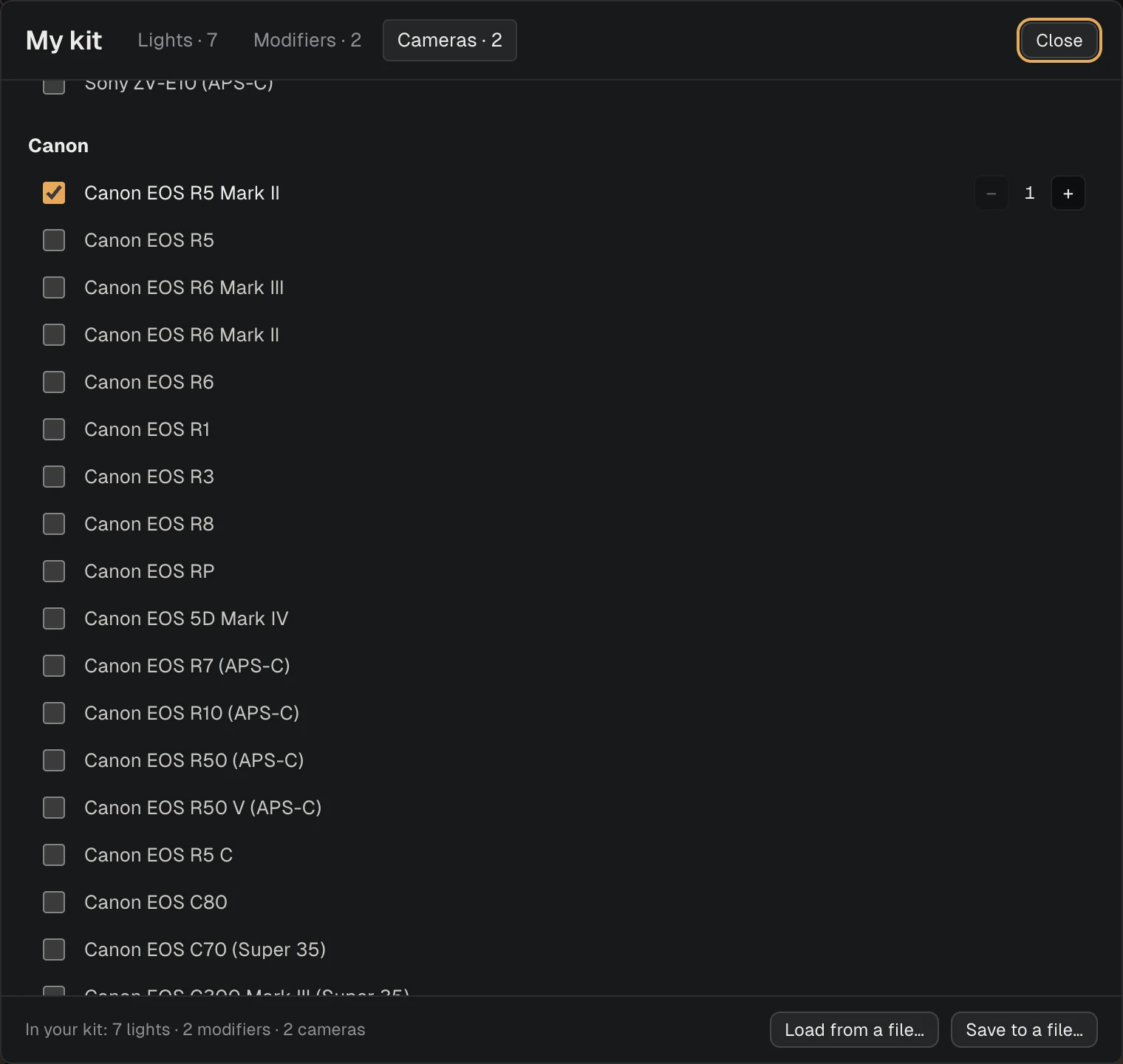
My kit is a list of the lights, modifiers and cameras you own, with how many of each. It is kept on your computer and has nothing to do with any one setup, so you fill it in once. If a light or a modifier of yours is not in our lists, add it by name under "Your own".
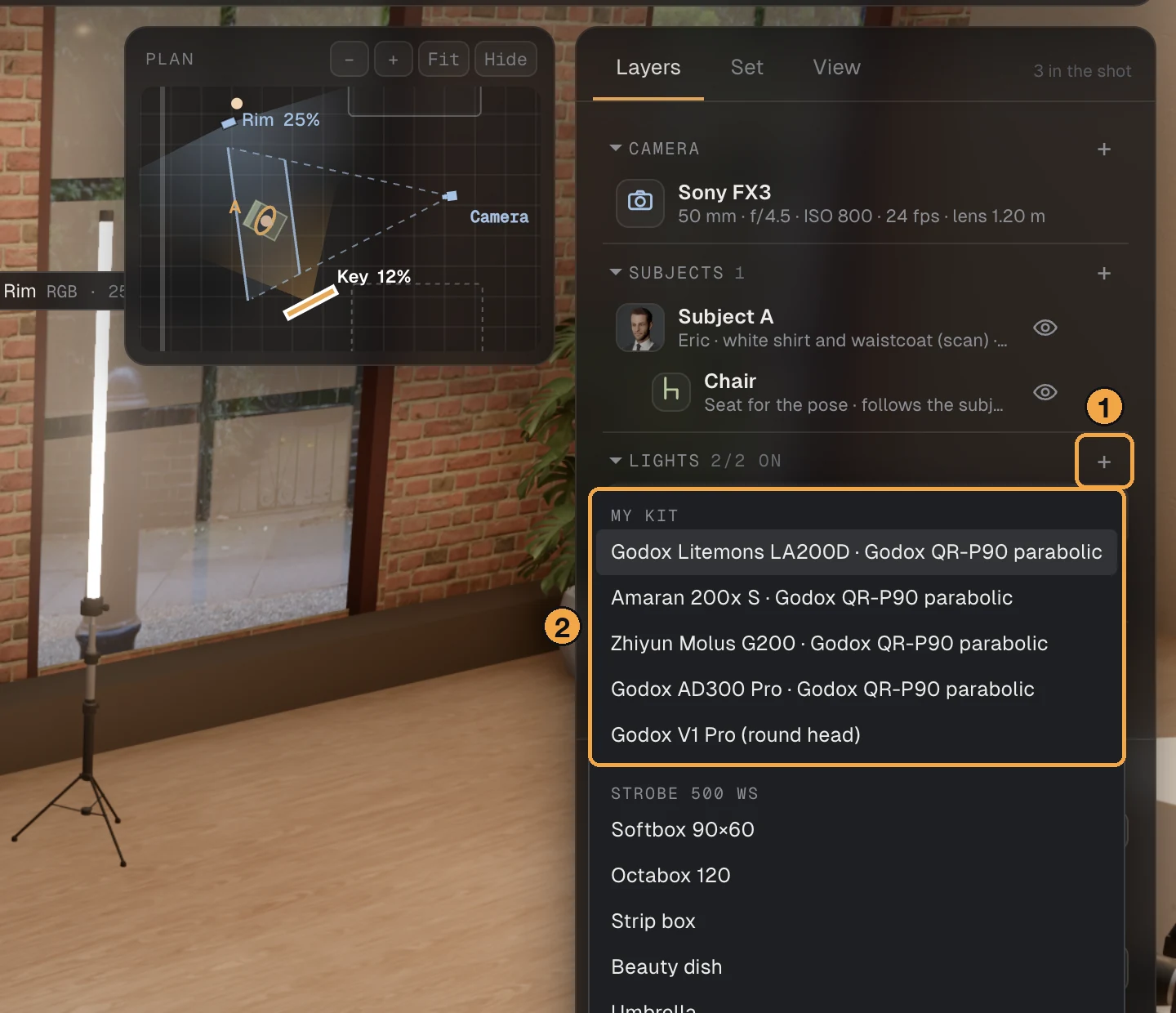
- Open File at the top right.
- Choose My kit…
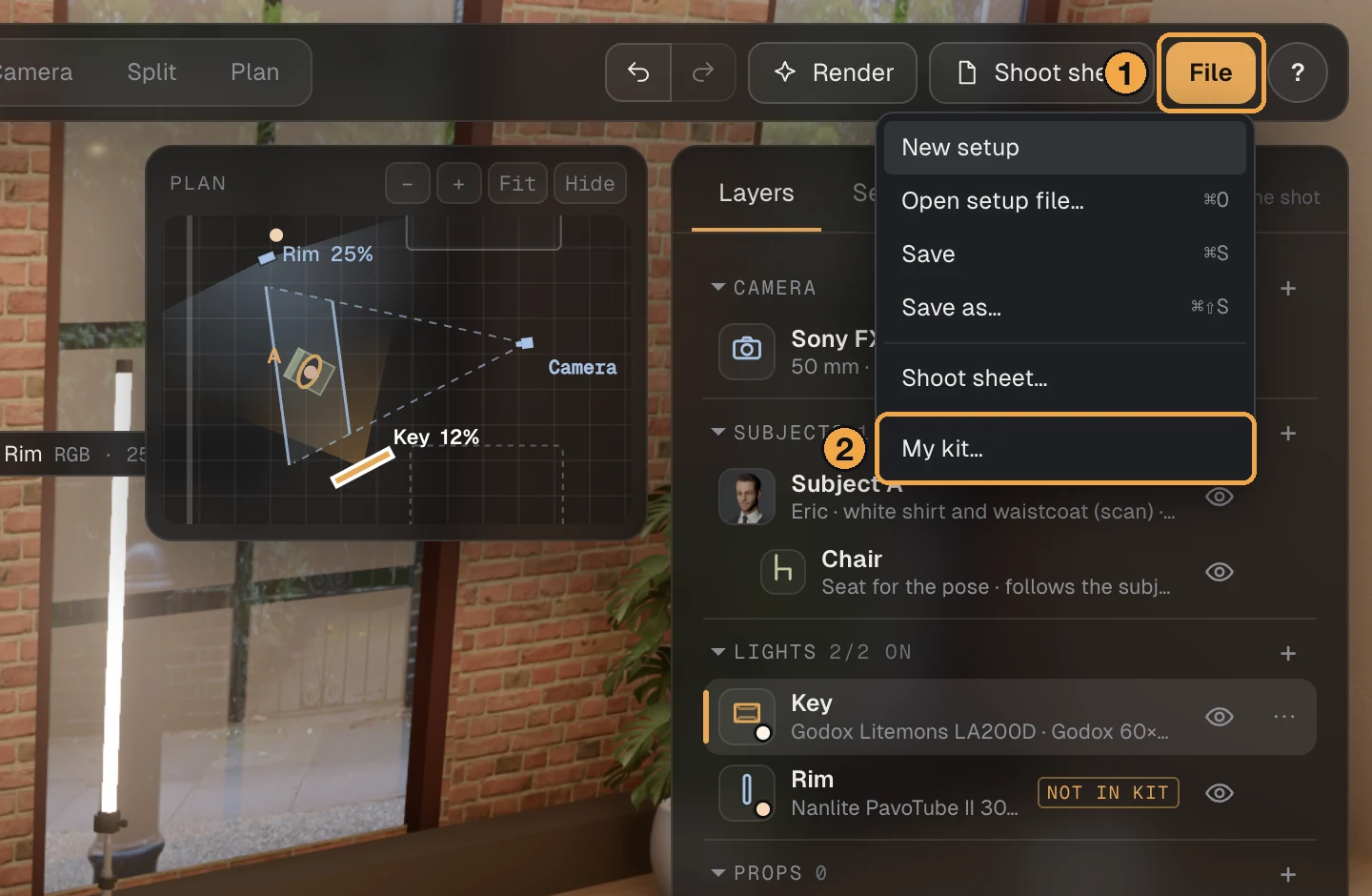
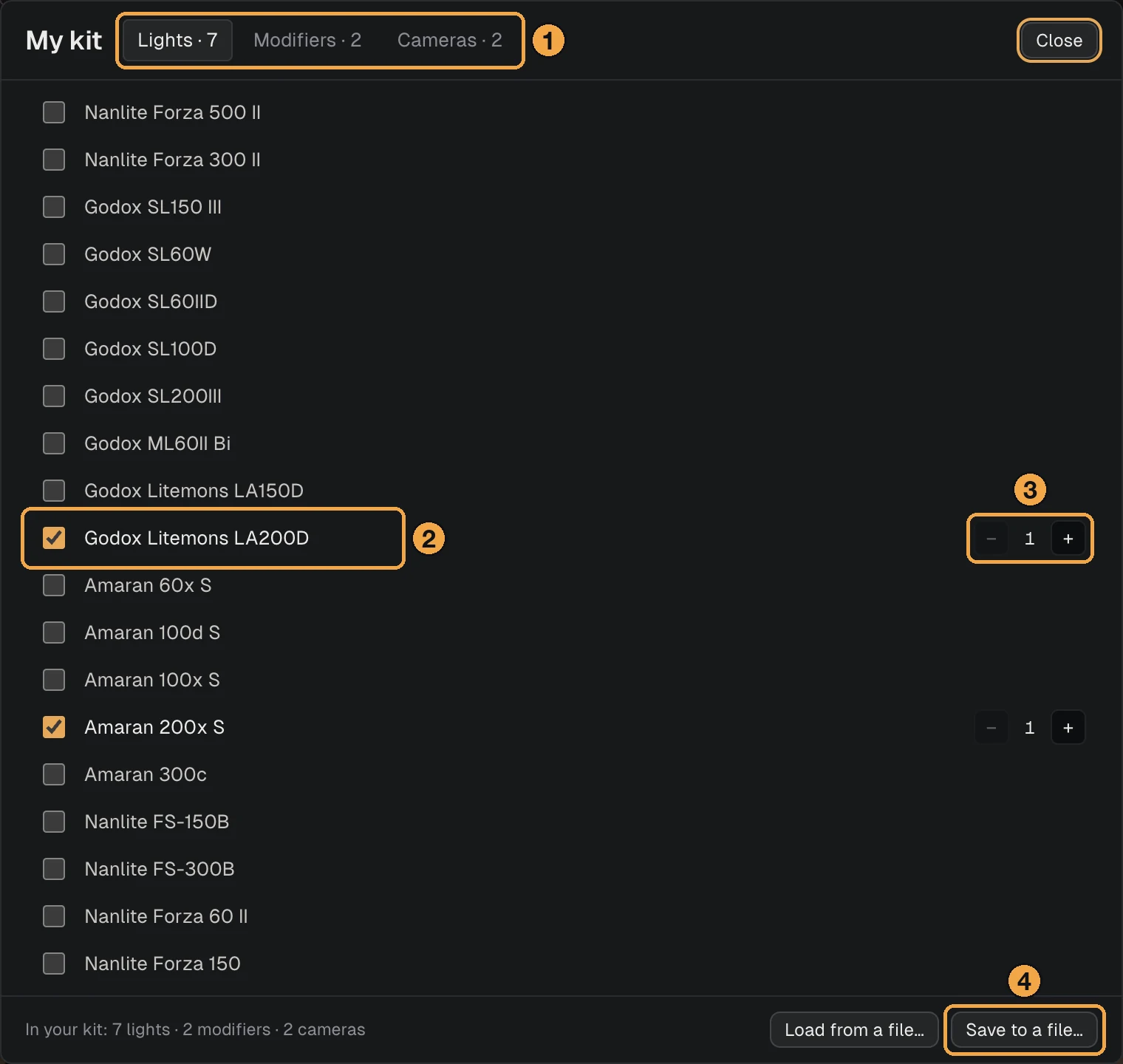
Once the list has something in it, the rest of the app starts from your gear.
- Adding a light. The Add a light list opens with your own lights, each already on a modifier you own.
- The lists in a light's panel. Model, Modifier and Make put a "My kit" group first.
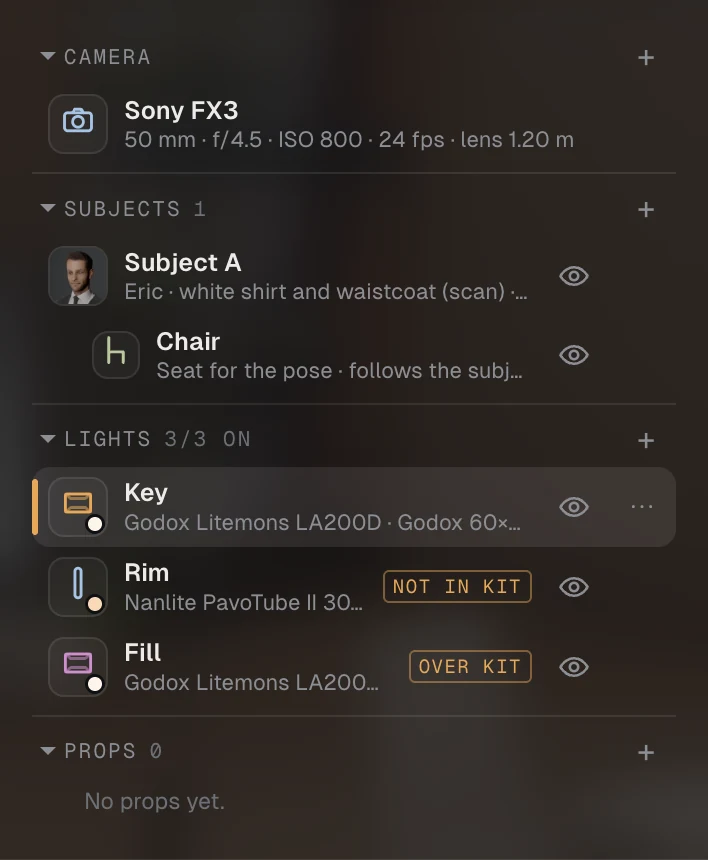
- The Layers list. A light the setup needs and you do not have is marked "Not in kit". If the setup uses more of one light than you own, the extra one is marked "Over kit".
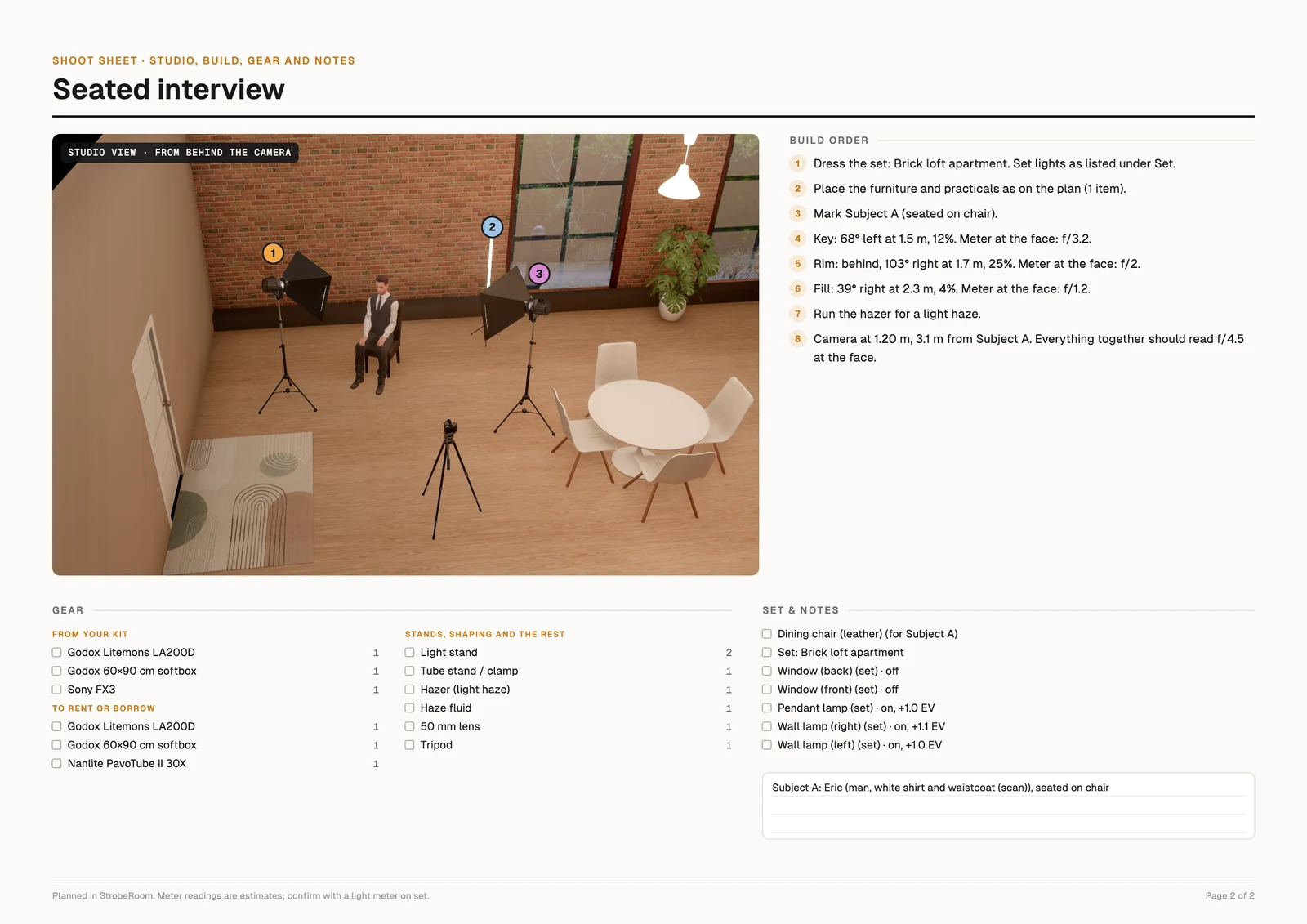
- The shoot sheet. The gear list becomes a packing list in three parts.
- Gear list on the shoot sheet one list → from your kit, to rent or borrow, stands and the rest
- Lights in Add a light generic heads → your own first, then the generic ones
If you never open My kit, nothing changes. Every list and the shoot sheet stay as they were. A kind of gear you have not listed is never marked either: fill in only your lights and no camera gets a mark.
A dolly for the camera
A camera in StrobeRoom stood on a tripod and stayed there. A push-in or a tracking shot could only be guessed at from two separate setups. We wanted the move itself in the plan: where the track lies, how long it is, what the frame looks like at each end, and whether the track is in another camera's shot.
So a camera's support can now be a tripod or a dolly on a straight track. The track starts where the camera stands and runs towards the subject, for up to a metre and a half, stopping about a metre short. From there it is yours to place.
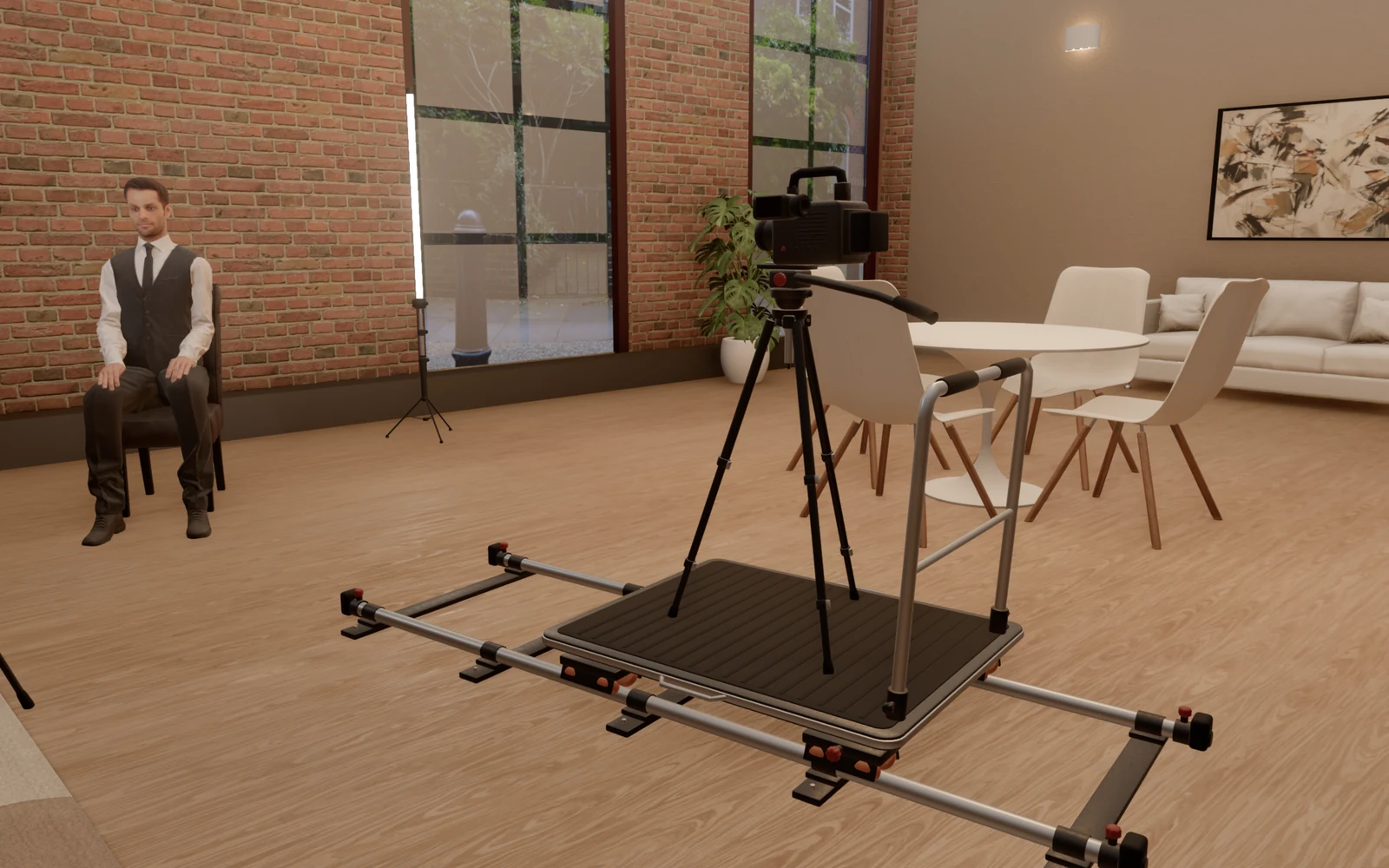
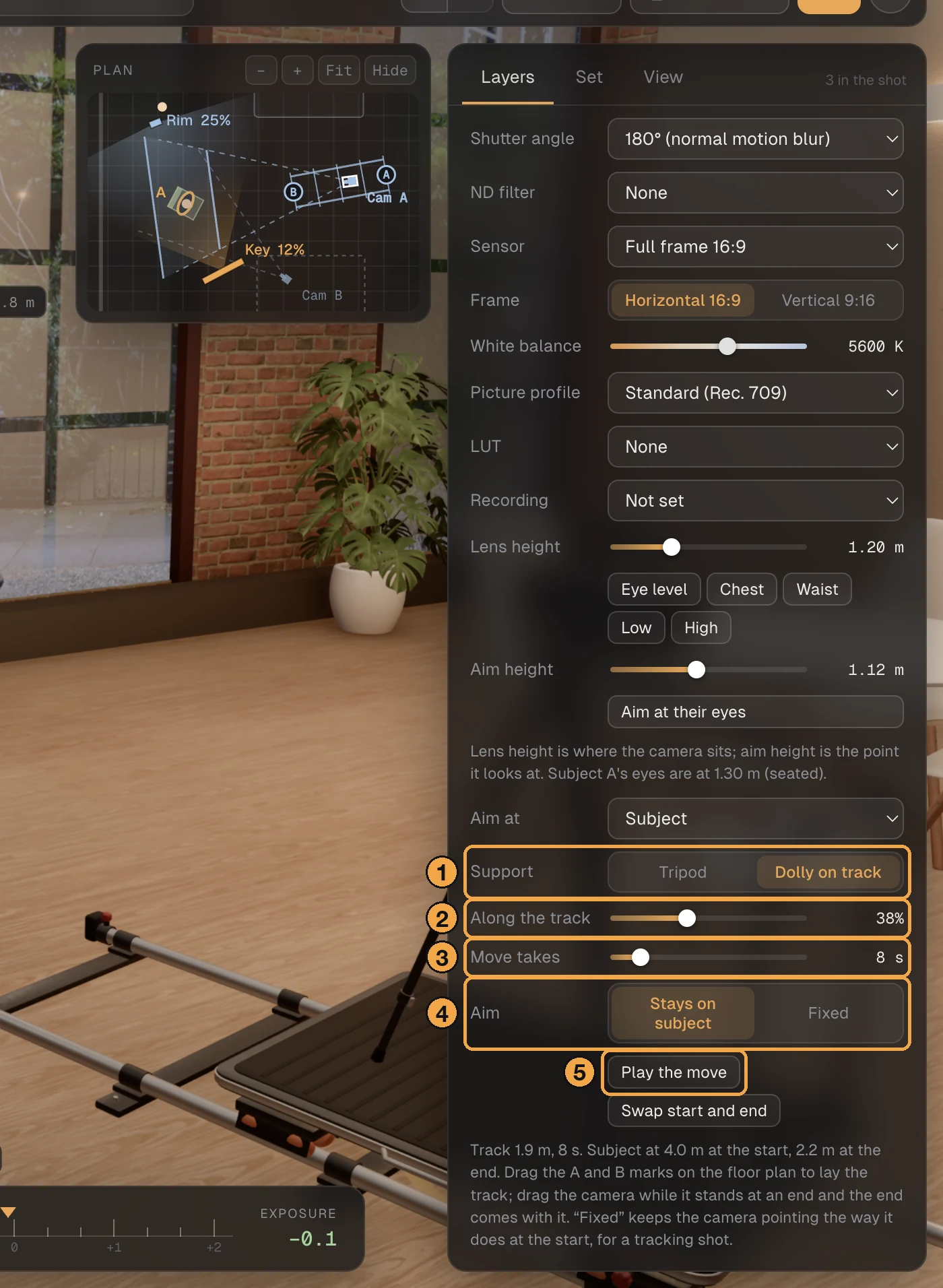
- Select the camera in the Layers list, then set Support to Dolly on track.
- Along the track moves the camera from the start to the end.
- Move takes is the length of the move, from 1 to 60 seconds.
- Aim: the camera stays on its subject, or keeps the direction it starts with for a tracking shot.
- Play the move runs it in real time.
In the Camera and Split views a Move bar sits under the frame while the camera you look through is on a dolly. Drag it to see any point of the move, or press Play. The light on the subject does not change as the camera travels, so the meter holds its reading and only the frame moves.
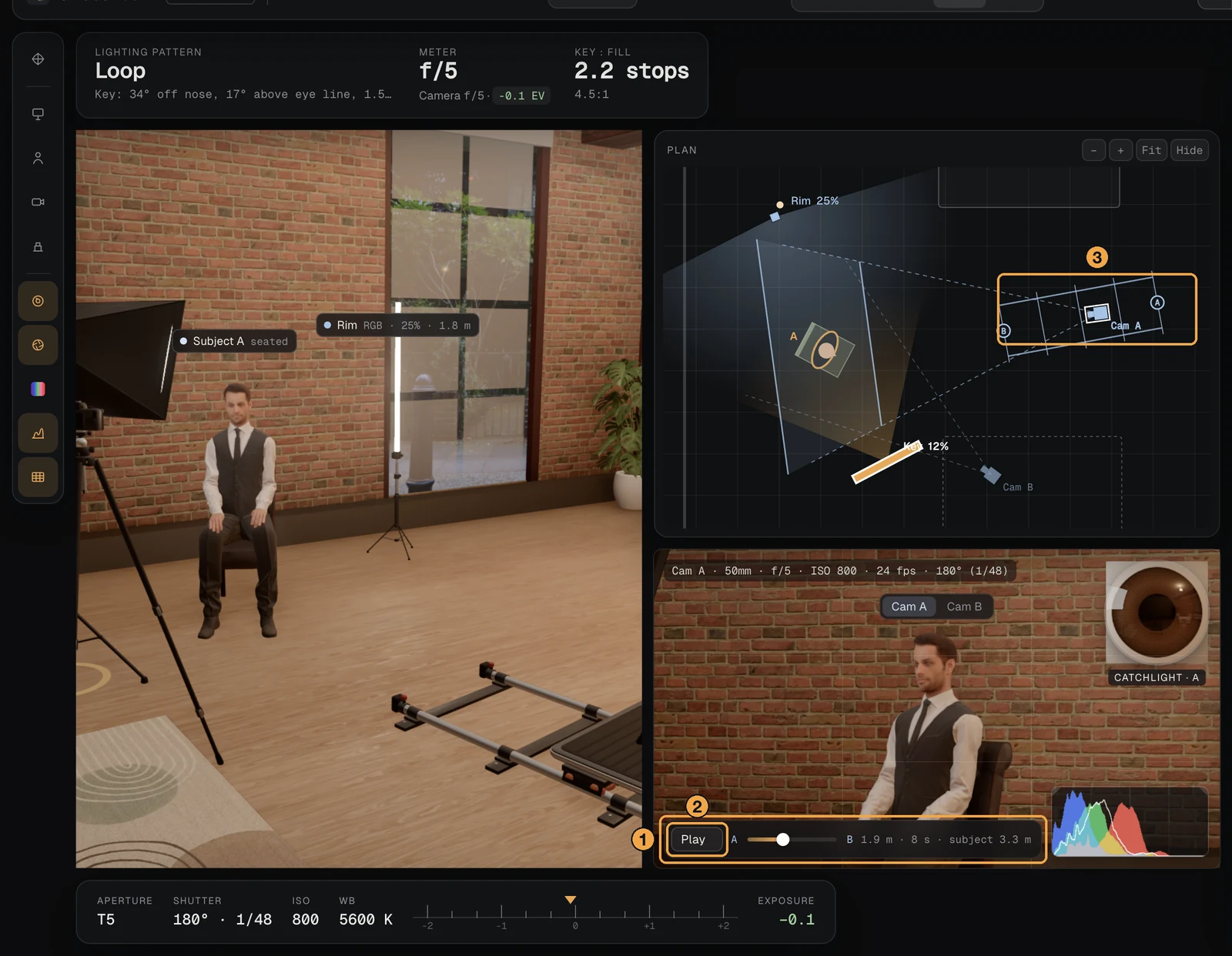
The track is laid on the floor plan. Drag the A or B mark to move that end. Drag the camera while it stands at an end and the end comes with it. Anywhere in between, the camera slides along the track. "Swap start and end" turns a push-in into a pull-out.
- Camera support tripod → tripod, or a dolly on a straight track
- Shoot sheet no camera moves → the track on the plan, its length and time, a build step and a line in the gear list
Hair lights that show on hair
This one was simply wrong before. A hair light, a rim light or a kicker lit the shoulders and the edge of the face and left the hair as dark as without it. Hair was shaded like a smooth surface of the head, and a surface that faces away from a light gets nothing from it. Real hair is thousands of round strands, and each one catches a light from behind along its length.
Now each strand mirrors a light that comes from behind, in a shade of the hair's own colour, and thin fair hair lets a little of it through at the outline. The High-quality render shows the same edge as the live view.
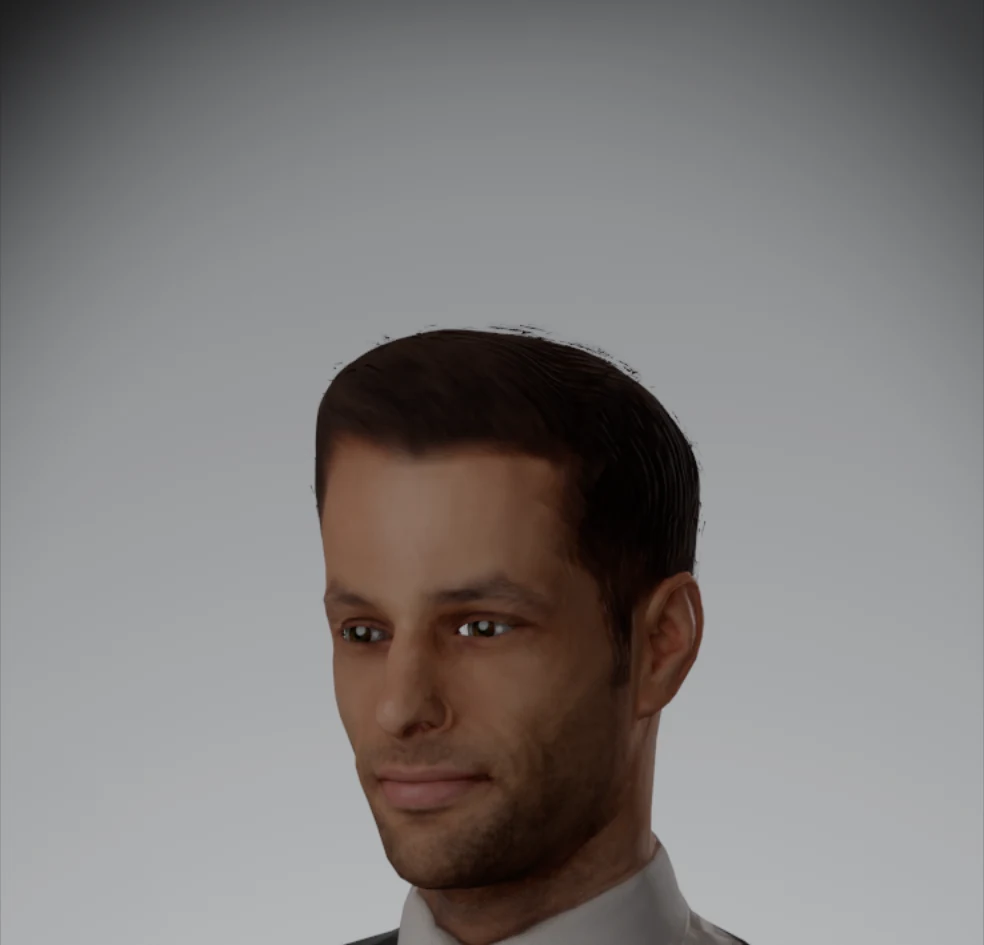
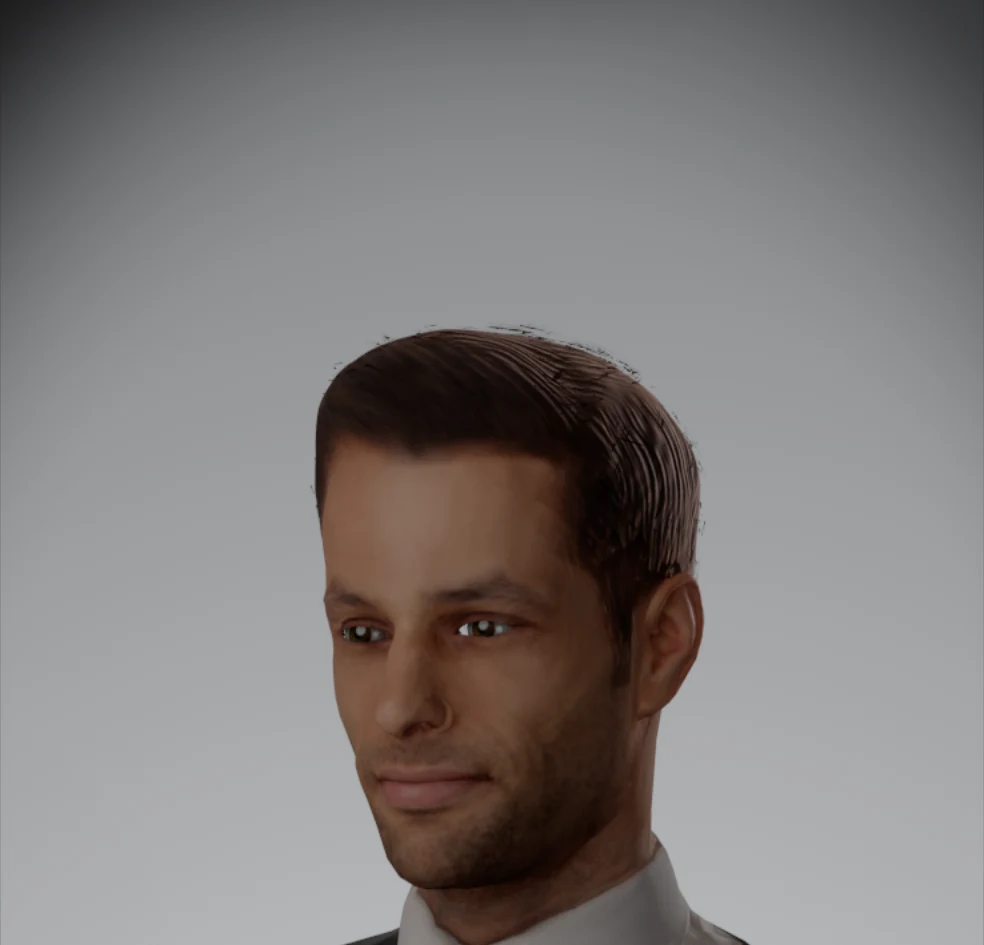
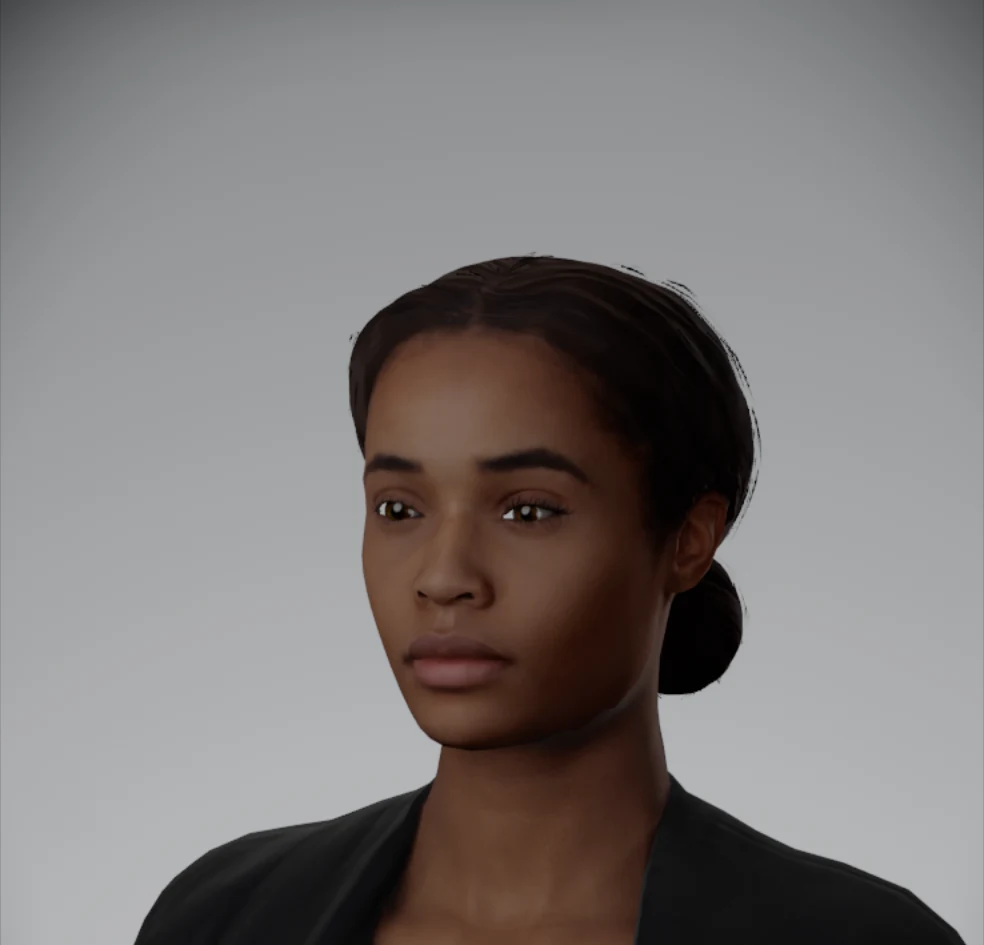
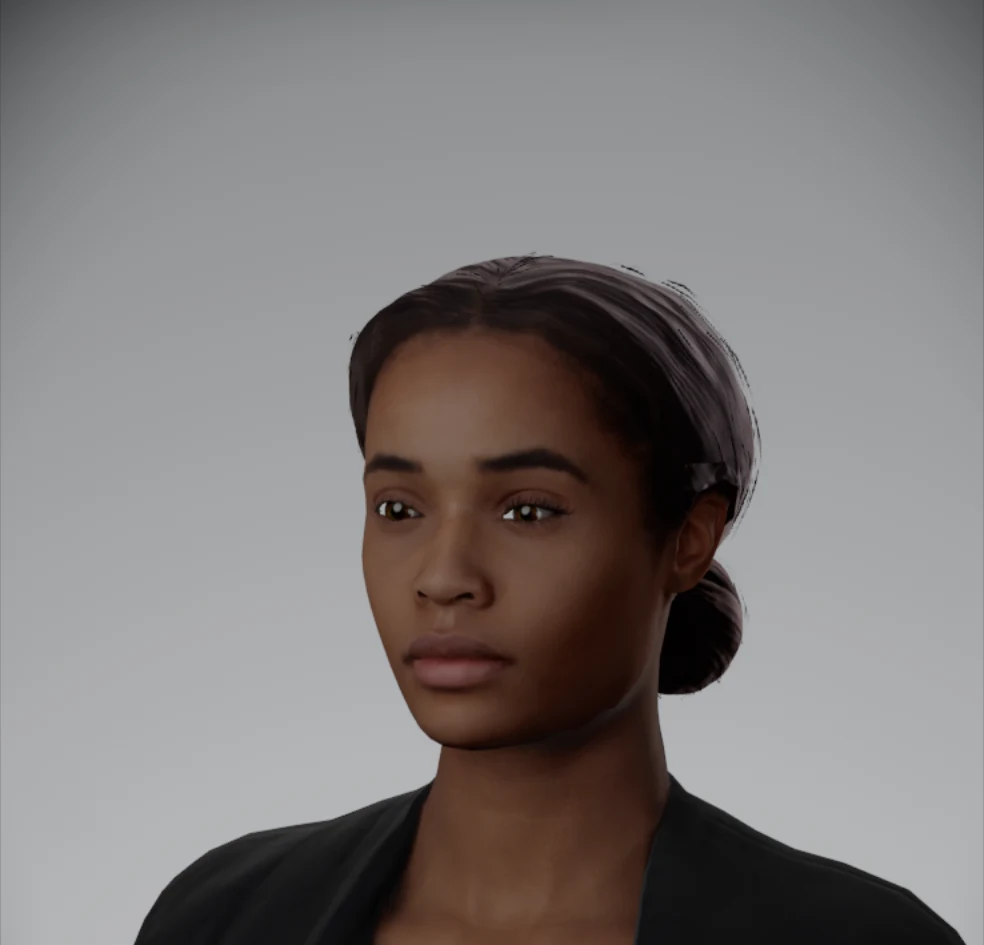
Same people, same lights, same camera: the built-in Rembrandt setup with its rim light a stop up, on a lit grey backdrop.
- Dark hair under a kicker, lit side nearly black → about 7 times brighter
- Live view against render, on that hair 1.6 stops apart → within a tenth of a stop
- Frame rate unchanged
Measured on one of the cast with shoulder-length dark hair, under a kicker from behind.
Nothing to switch on: it works with any light you place behind a person. The quickest way to see it is the built-in "Rembrandt + fill + rim" setup.
Every camera in its own shape
Pick a Canon, a Leica and a Fujifilm in 1.13 and the studio showed the same body three times. There was one mirrorless camera and one cinema camera, whatever the list said. That is fine for one camera on a tripod. It is not much help when three of them share a small room and you want to know which is which, and how much space each really takes.
Each body is now drawn from its own measurements: the maker's published width, height and depth, and the features you know it by from across a room. A viewfinder hump or a flat top. The grip. The dials where that maker puts them. The lens mount at its real diameter. A silver top plate on the retro bodies. The windows of a rangefinder. A handle, a monitor and a side grip on the cinema cameras.
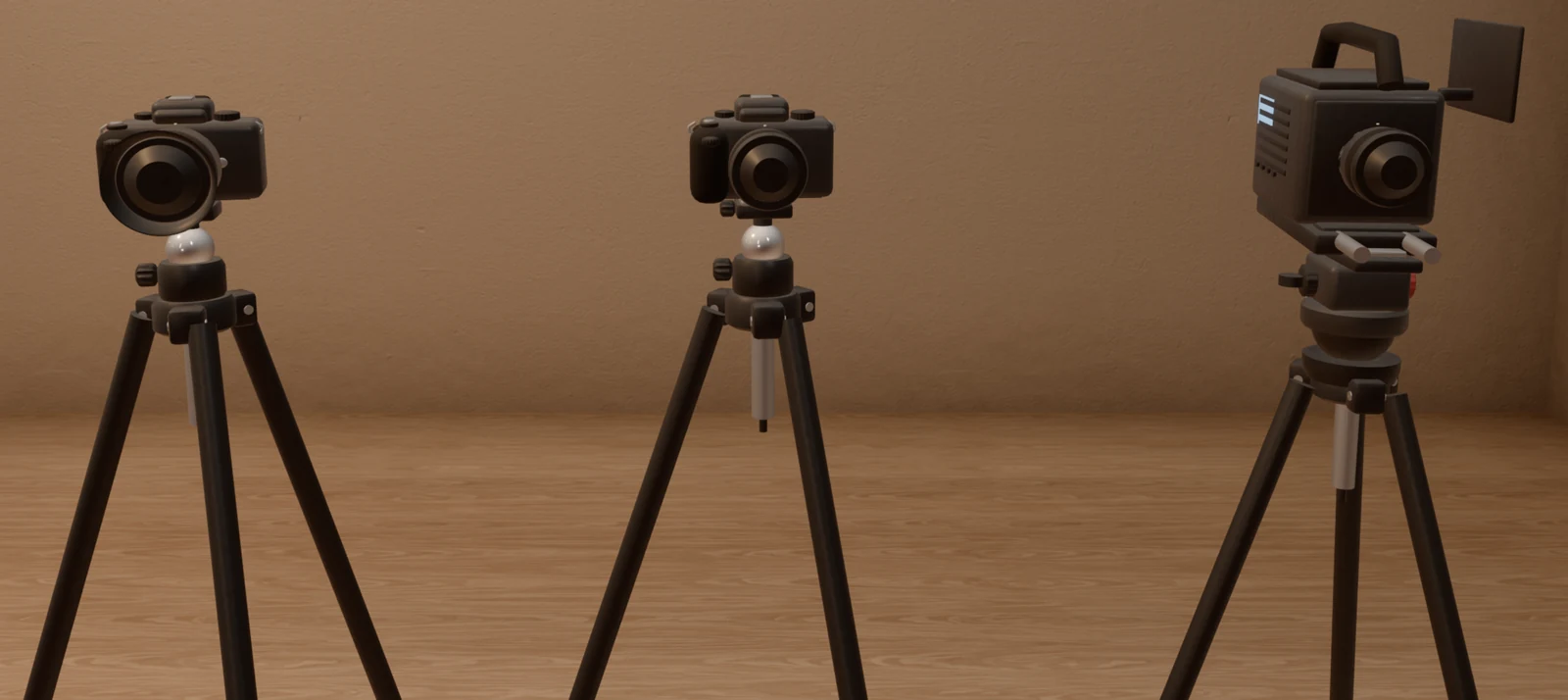
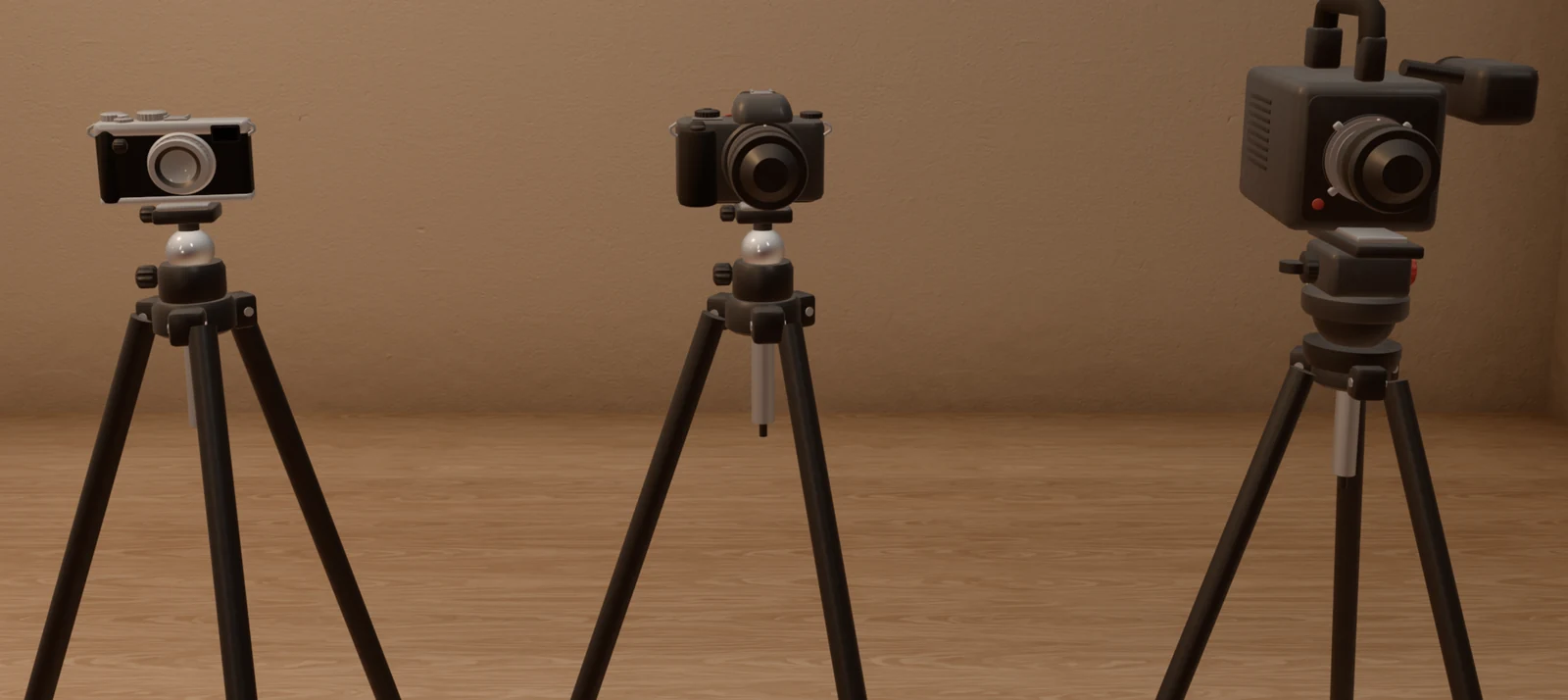
The same three bodies in both pictures: a Fujifilm X100VI, a Canon EOS R5 Mark II and an ARRI ALEXA Mini LF.
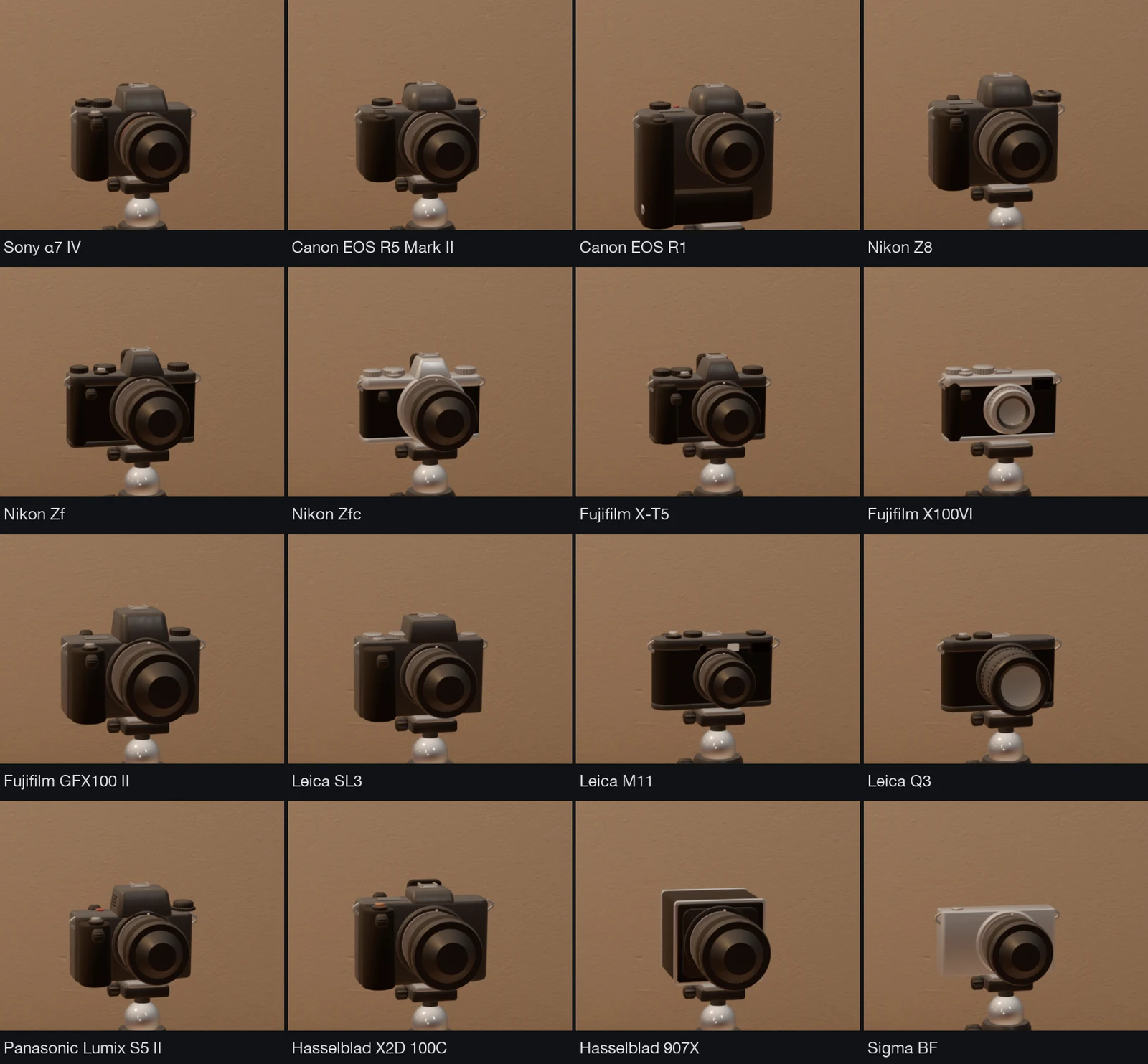
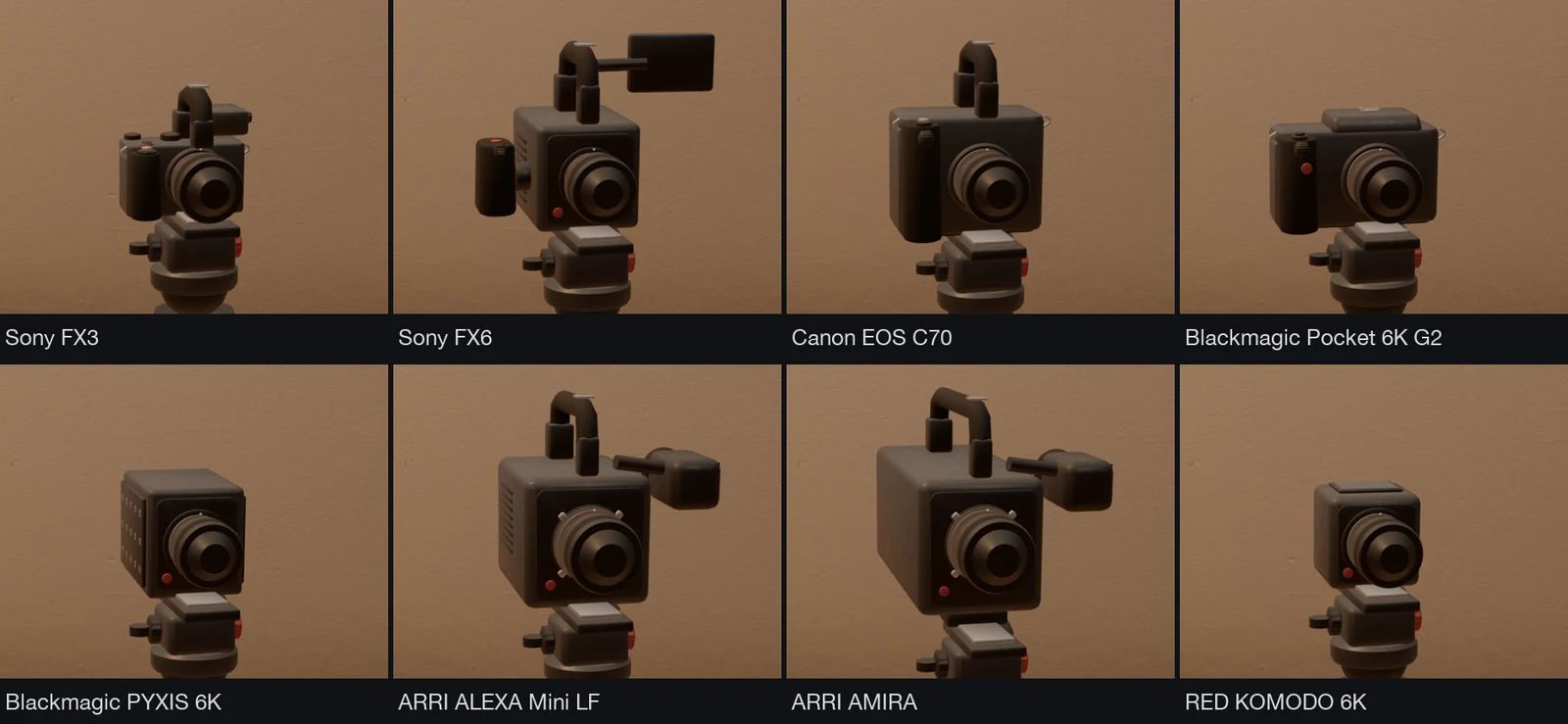
- Camera models 2 → 63, for 101 bodies
- Fixed-lens cameras a body with a separate lens → their own lens built in
- Lens on the mount one size → smaller on small mounts, larger on medium format and cinema mounts
Bodies built on the same shell share a model, which is why there are 63 models for 101 bodies.
The tripod's head meets each body where its base really is, a body with a built-in battery grip stands taller, and a cinema camera always sits on the fluid head. Nothing to set: choose a body and the studio shows it.
48 more camera bodies
The camera list leaned heavily on one brand: 23 of its 53 bodies were Sony. We left those as they are and filled in the others, with three brands that were missing altogether.
- Bodies in the list 53 → 101
- Canon 6 → 18
- Fujifilm 5 → 13
- Nikon 5 → 12
- Panasonic 3 → 9
- Leica 5 → 7
- Blackmagic 2 → 5
- ARRI 2 → 4
- Hasselblad 2 → 3
- RED, OM System, Sigma none → 3, 2 and 2
Two of the new ones have a lens that cannot come off, the Fujifilm X100VI and the GFX100RF. Like the Leica Q bodies, they offer their crop modes in place of a focal length.
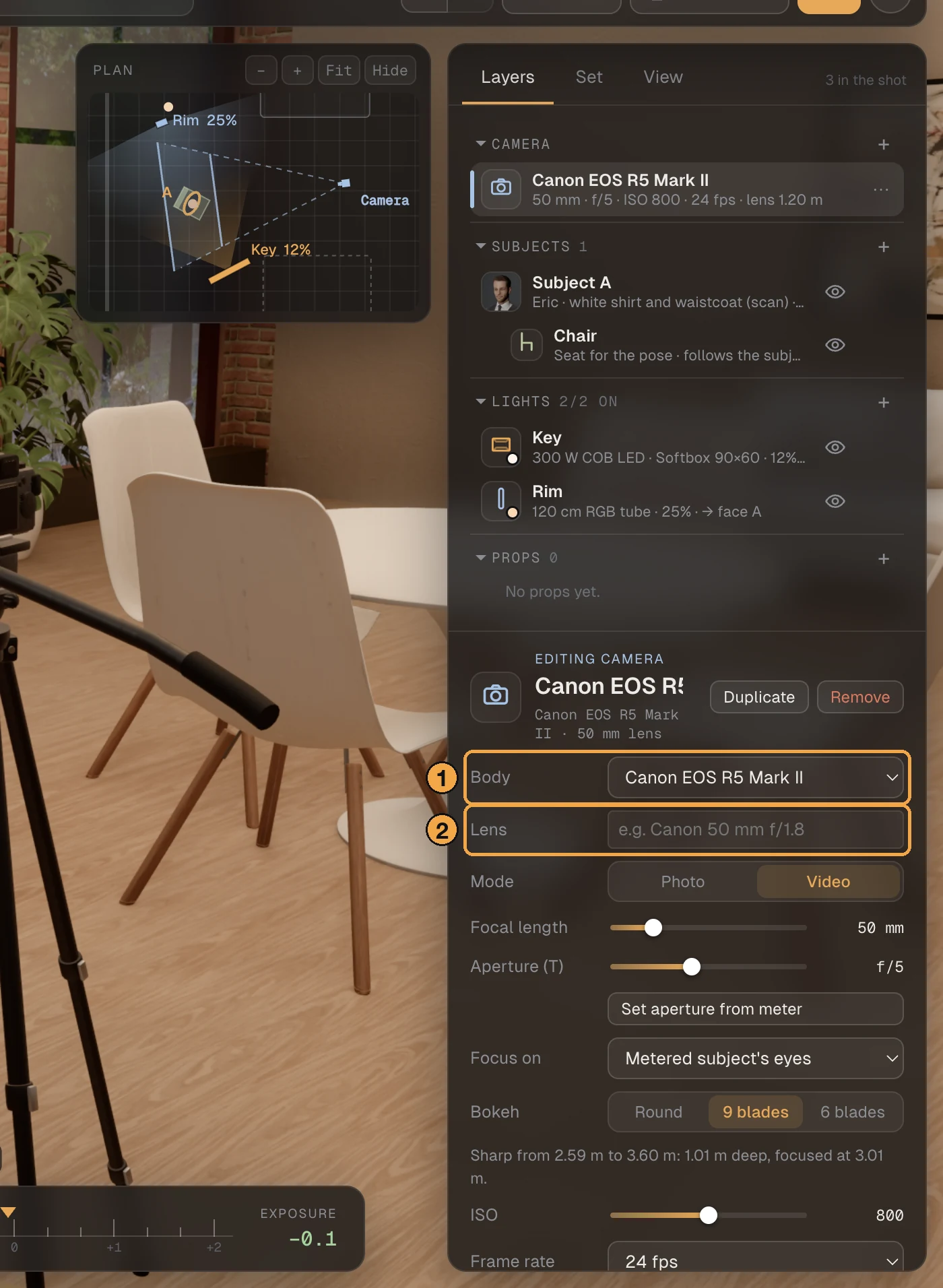
- Select the camera in the Layers list. Its panel opens with Body at the top: the list is grouped by brand, with the bodies from your kit first.
- Lens is a note for the shoot sheet. A fixed-lens body fills it in for you.
Log profiles for each body
A log profile shows the flat picture a camera records before it is graded, which is what you see on the monitor on the day. We had one per brand and gave it to every body of that brand. That was wrong in both directions: some bodies record a second log, and some record none.
Each body now offers the log profiles it records, and seven are new: S-Log2, C-Log2, Canon Log, F-Log, Leica L-Log, ARRI LogC4 and RED Log3G10. Every one of them is the maker's own published curve and colour gamut, so 18% grey and black sit where that camera puts them.
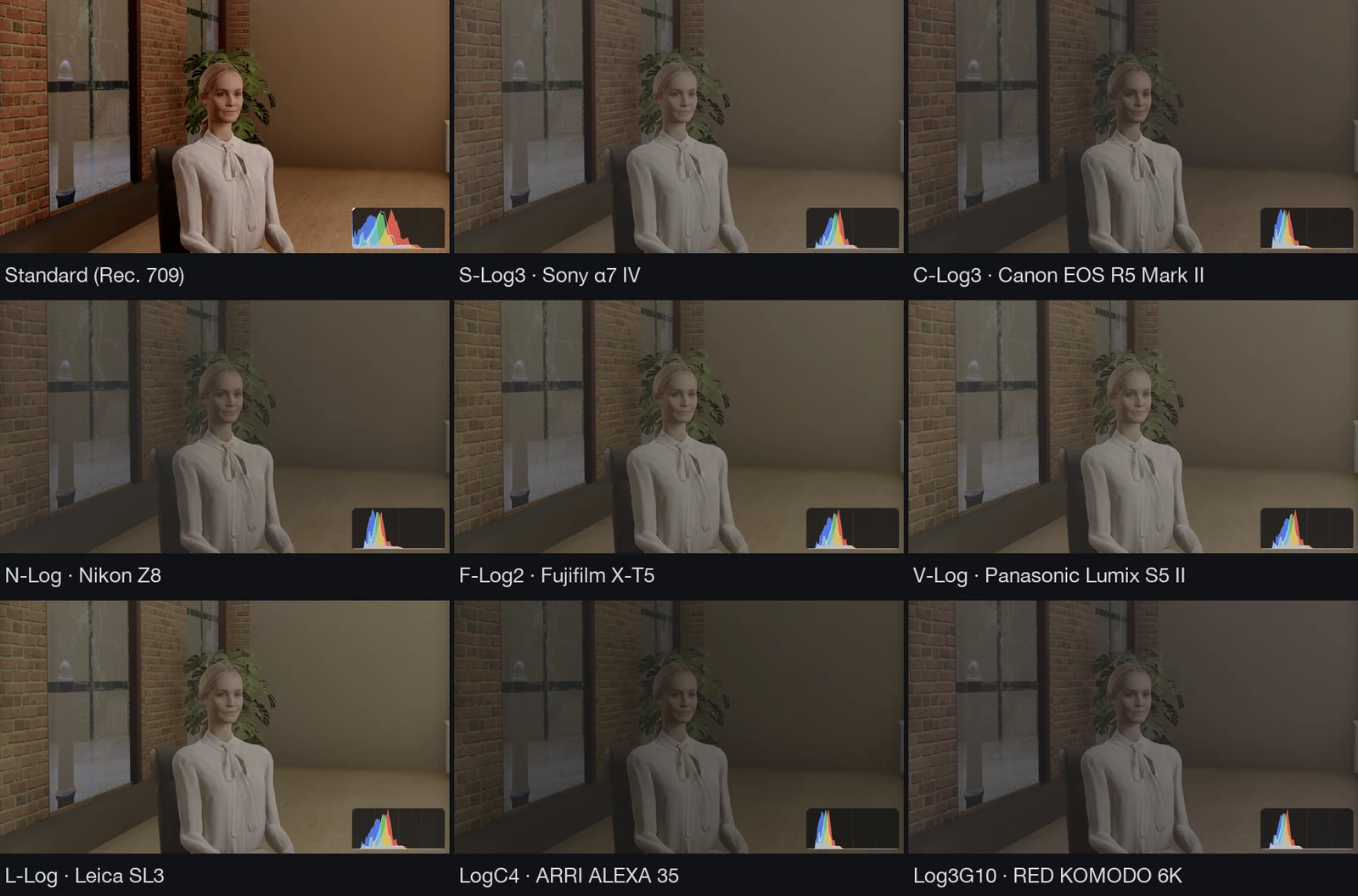
- Log profiles 8 → 15
- Who gets which one per brand → what each body records
- 18% grey in C-Log3 33.1% → 34.3%, Canon's figure
A few examples of what "what each body records" means. A Sony α7 II offers S-Log2 only. A Canon EOS R5 Mark II offers C-Log3 and C-Log2, and an EOS RP offers none. A Nikon ZR offers N-Log and Log3G10. An ARRI ALEXA 35 offers LogC4 where the ALEXA Mini LF offers LogC3. Bodies that shoot no video, such as the Leica M11 and the Hasselblads, offer no log at all.
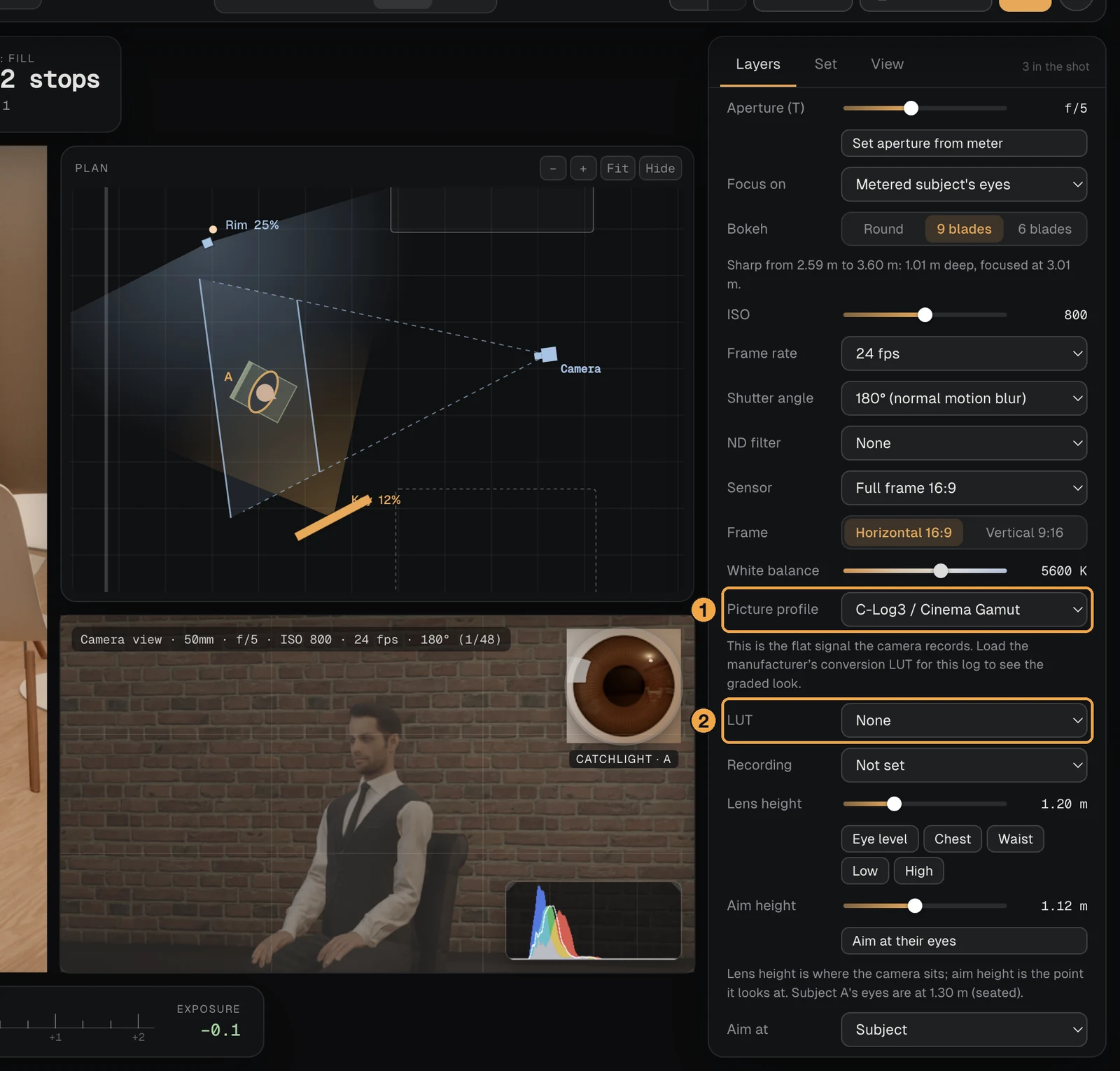
- Select the camera and scroll its panel to Picture profile. The list has two groups: "Ready to view" and "Log (as recorded)".
- To see the graded look, load the maker's own conversion LUT under LUT.
66 more lights by name
The named lights were mostly the expensive ones. A lot of work is shot on the affordable ranges, and we want a shoot sheet to say what is actually on the stand. So the lists grew, mostly at that end.
- Named lights 32 → 98
- COB LEDs 7 → 41
- Strobes 11 → 24
- LED panels 3 → 14
- Speedlights 6 → 13
Among the new names: the Godox Litemons LA150D and LA200D, the V1 Pro and the V100; the Zhiyun Molus G60, X100, G200, G300, B300 and B500; the SmallRig RC 60B to RC 220B; the Neewer MS150B, FS150B, FS230B, CB200B and CB300B and the Q4; the Amaran 100x S and 300c. There are more from Nanlite, Colbor, Westcott and Elinchrom.
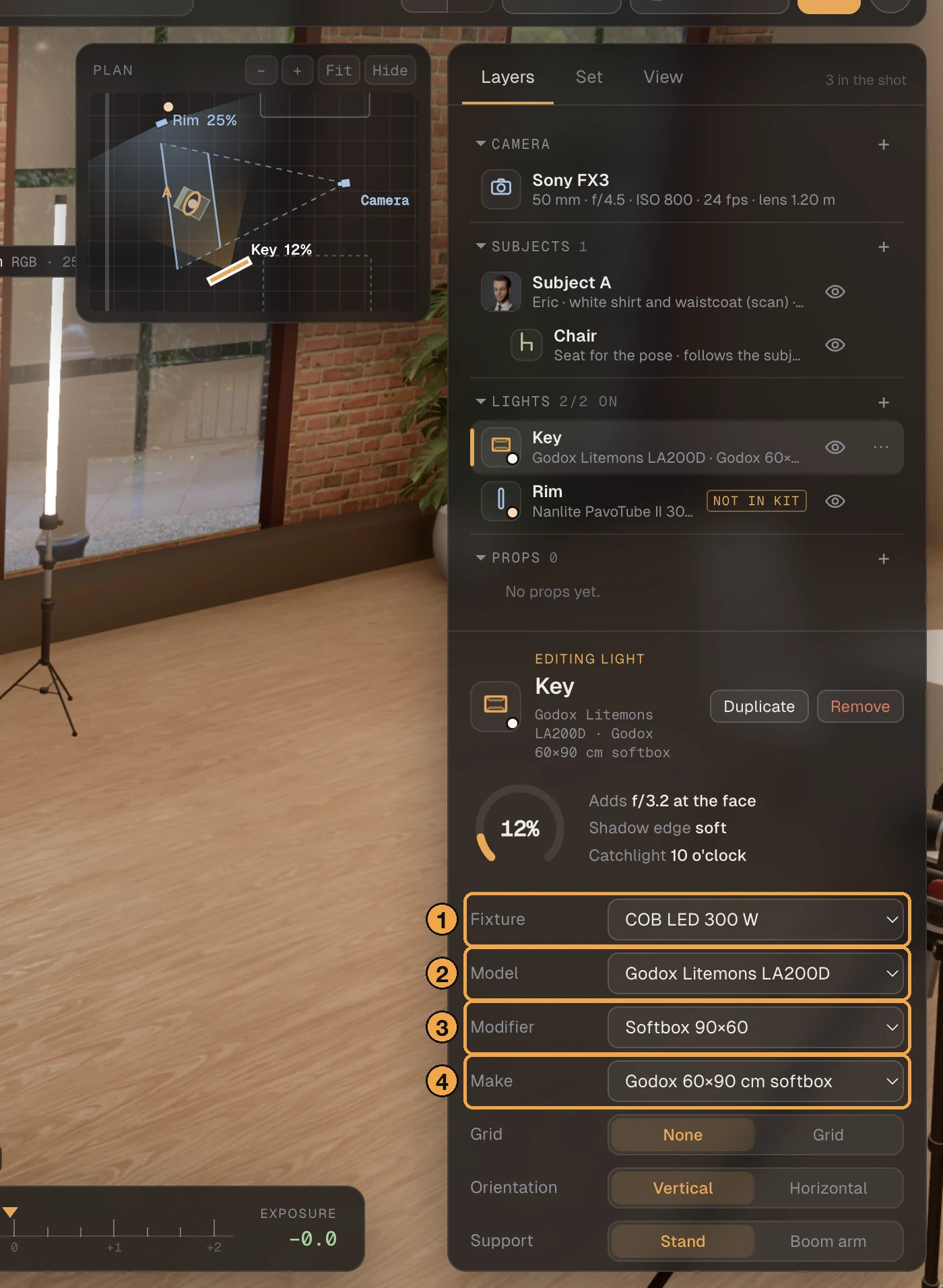
A named light is drawn as the head of its kind, and its output is scaled from its rated watts or watt-seconds. That is close enough to plan with. As with every reading in StrobeRoom, confirm it with a light meter on set.
- Select a light. Fixture is the kind of head.
- Model is the list of named lights of that kind.
- Modifier is what is on the front.
- Make is the modifier's own name and size.
Bug fixes
- Fixed a person now and then rendering yellow. In a High-quality render the blue could go missing from a person's skin and clothes. It happened in about a third of renders and went away when the render was made again.
- Fixed Refine when still starting over. It finished its clean frame, dropped it and traced the same picture again, for as long as the view stood still. It now finishes once and holds the picture.
- Fixed lens hoods showing as a ring. Seen from the front, the hood of the 16, 24, 135 and 70-200 mm lenses showed as a thin ring floating before the lens. The hoods have an inside now.
- Fixed C-Log3 sitting a little dark. See the log profiles above.
Next 3D set: the cafe, further along
The cafe has come a long way since the 1.13 post. The ceiling is open now, with dark beams and small glass lamps hanging between them. A chalk menu with the StrobeRoom name hangs on the brick wall over the counter. And the plain wall on the right has become a row of lit white columns, with prints on the wall between them.
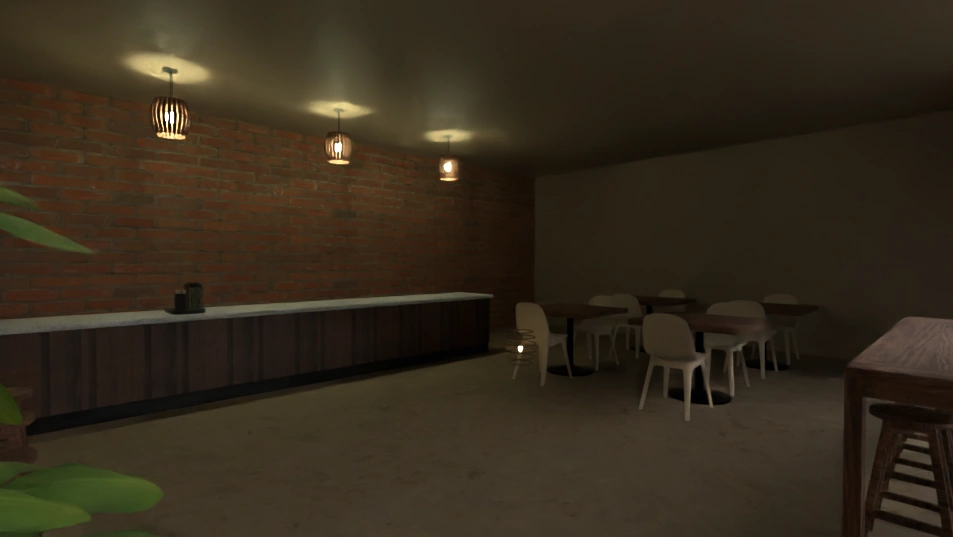
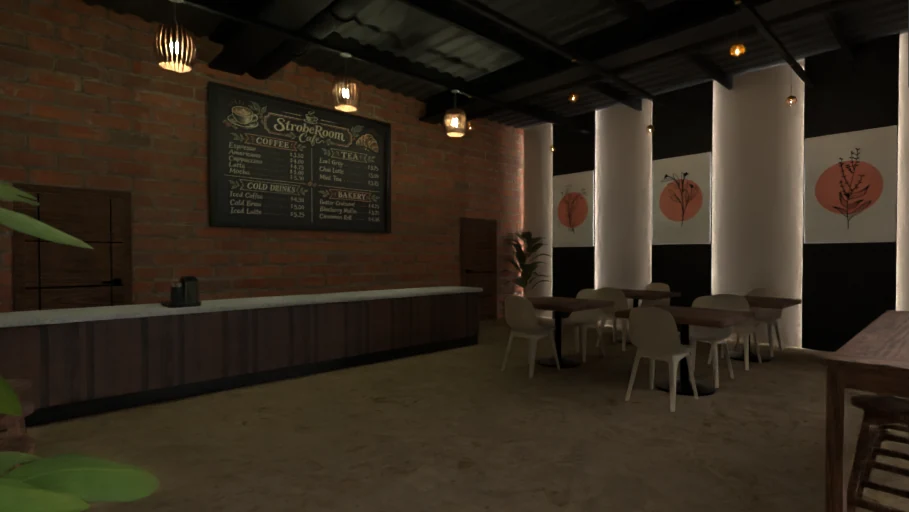
The same view from inside the cafe, both from Blender, where our 3D artists build the set. Still a work in progress.
When it is finished, the cafe joins the brick loft apartment as a 3D set in the app.
How we tested it
An automated test picks each of the 101 bodies in turn and checks that its own model is the one on the tripod, that the head meets its base, that a fixed-lens body shows no second lens, and that the log profiles it offers are the ones it should. Going through all of them twice leaves nothing behind on the graphics card.
A second test works out every log curve from the app's own code and compares 18% grey and black with the figures each maker publishes. All 15 match. The dolly has 31 checks of its own, from the first track to the shoot sheet, and My kit has 28, starting with the one that matters most: with no kit, nothing in the app is different.
For the hair light we lit nine people with a rim light, a hair light and a kicker, and compared the live view with the High-quality render region by region. We also made the yellow render happen on purpose, 8 times in 24 renders without the fix and not once in 24 with it.
Known issues
- A hair light does not show yet on four people whose hair is painted onto the head: Daniel, Chris, Martin and Robert.
- A named light is drawn as the generic head of its kind. Only its name and its output are its own.
- The track is straight. Curved track, sliders and jibs are not in yet.
- The OM System bodies show the general flat preview in place of their own log, because its curve is not published.