“Who's next on the lights?”
Students take turns in the studio, and most of the class time goes to watching.
A 3D lighting and camera planner for photography, film and media courses. Every student lights a setup on a lab computer, reads the exposure at the face, and hands in a shoot sheet you can mark. Studio time goes to shooting.
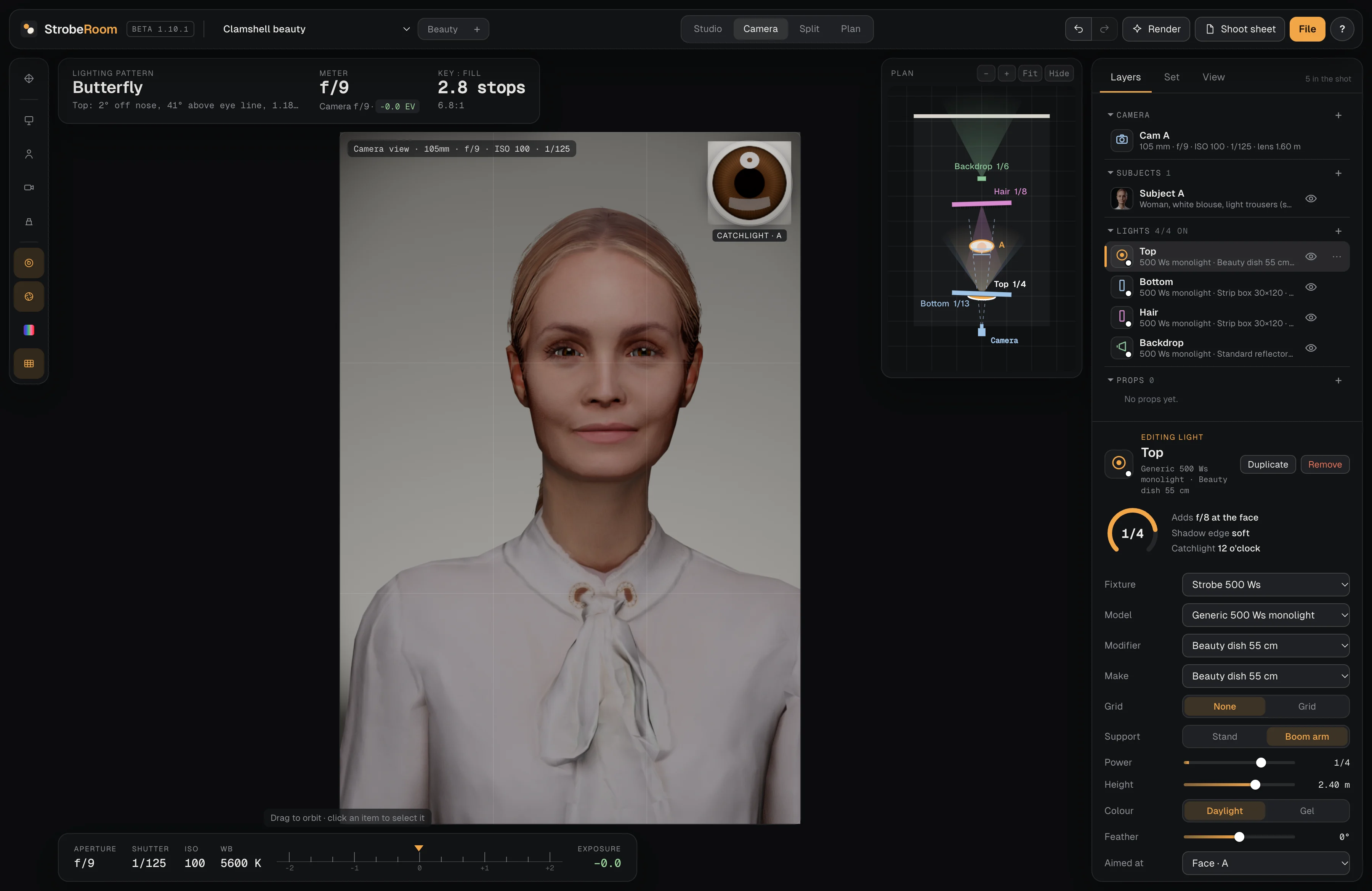
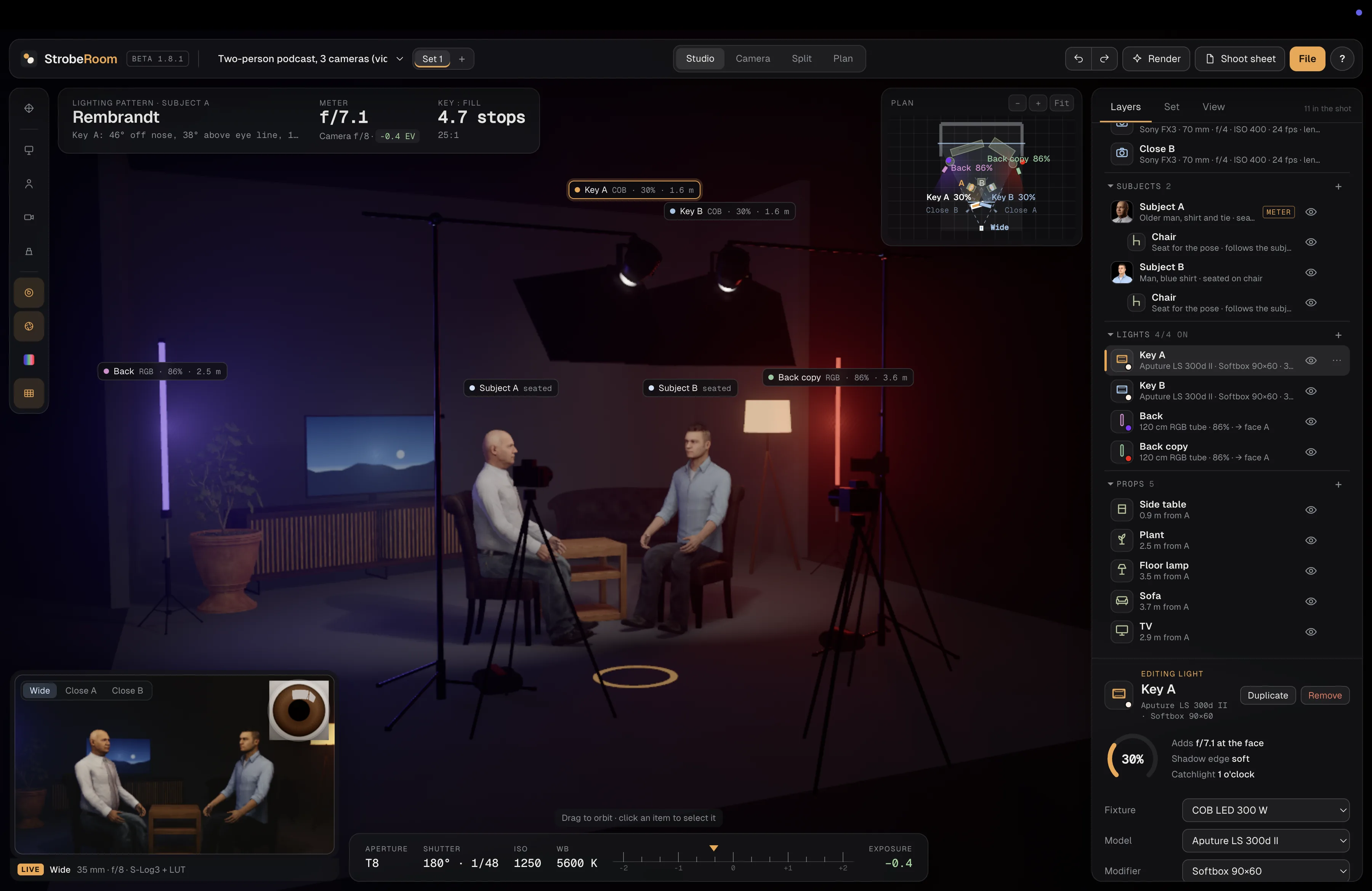
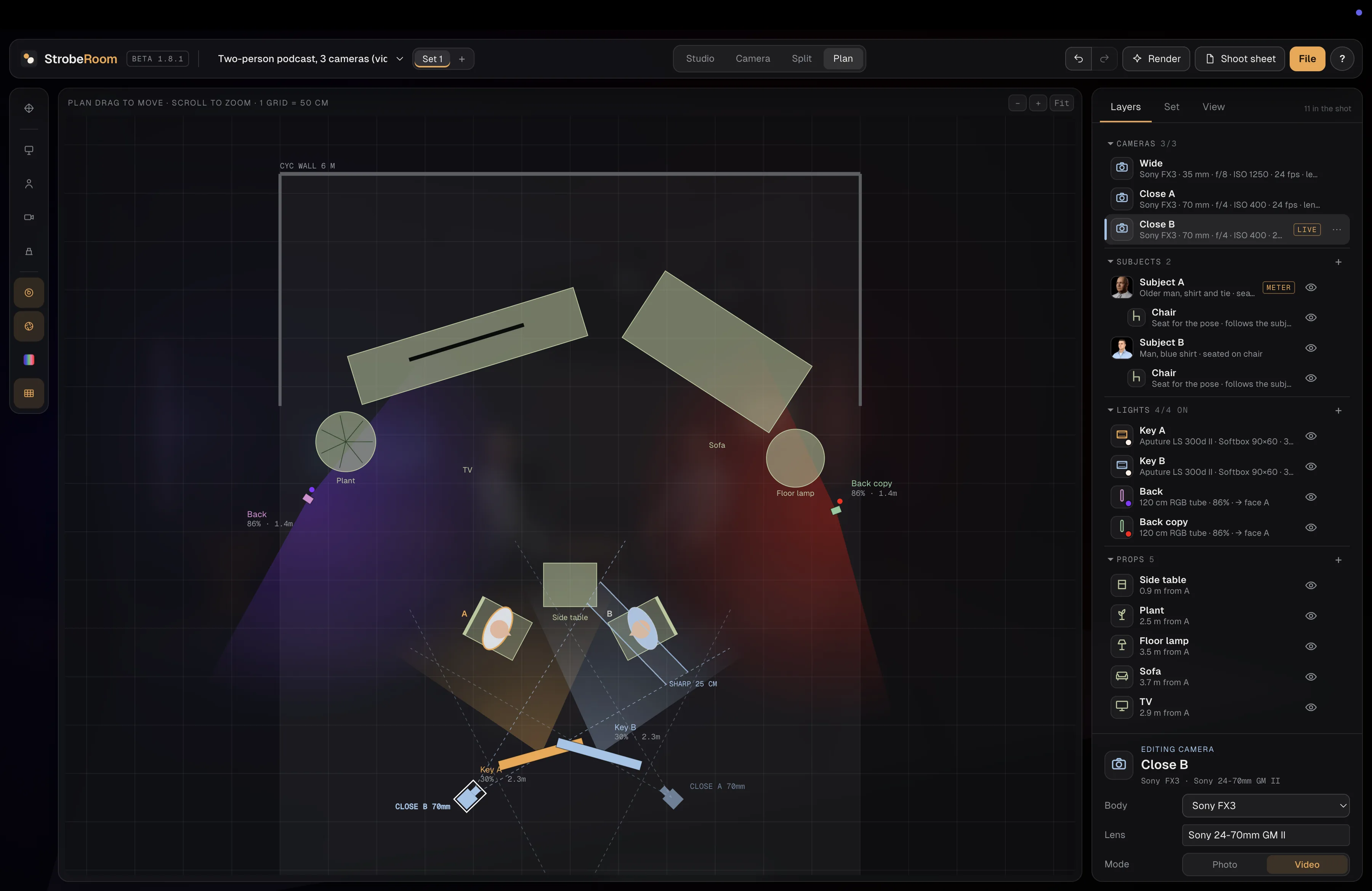
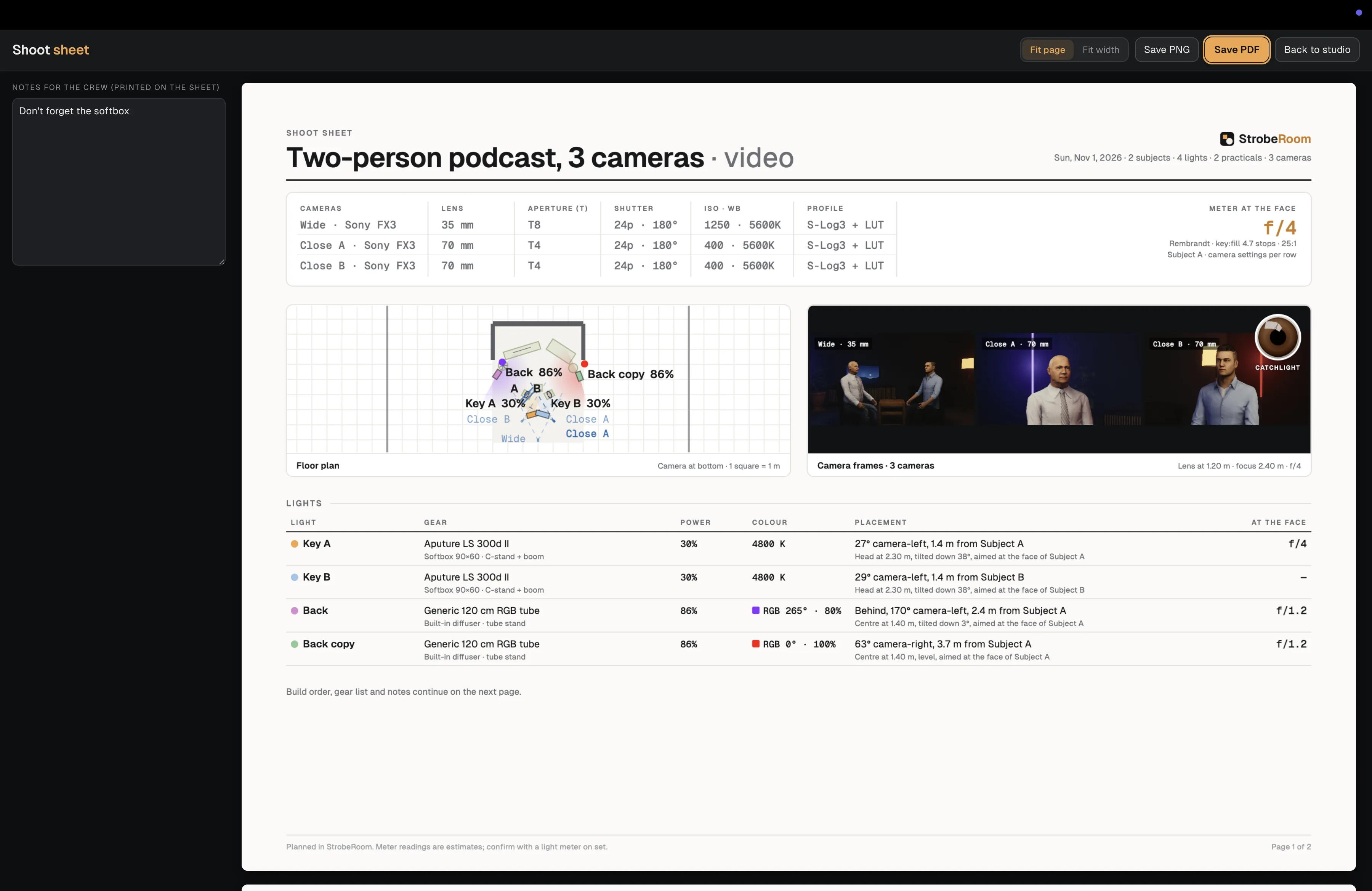
Lighting is learned by moving lights and watching what happens. In most courses that means taking turns in the studio, so students spend more of the class watching than lighting.
Students take turns in the studio, and most of the class time goes to watching.
The demo happens once at the front of the room. Anyone who missed why it works waits for the next class.
A diagram shows where the lights stand, not the shadow on the face or the reading on the meter.
A finished photo doesn't show the distances, the ratio or the order the lights went up in.
A three-hour studio block, shared by 20 students.
180 minutes shared by 20 students, before setup, demos and breaks. StrobeRoom doesn't replace the studio: it moves the first attempts off it.
Thirty-four seconds of the app: a portrait lit one light at a time, six setups, the cameras and their log profiles, the studio and two 3D sets, the floor plan and the shoot sheet.

Most courses use the first two: a demo and turns in the studio, and diagrams to study between classes. StrobeRoom adds practice for every student, before the studio.
| Turns in the studio | Diagrams and handouts | StrobeRoom | |
|---|---|---|---|
| Who's lighting | One student or group at a time | Nobody: it's on paper | Every student, at the same time |
| What students see | The real result, on their turn | Where the lights stand | The shadow on the face, through the camera |
| The numbers | A meter reading, if they take one | Written in by hand | The f-stop at the face, the pattern and the ratio, as a light moves |
| Between classes | When the studio is free | Any time | On any lab computer, offline |
| What you mark | The final photo | The drawing | A shoot sheet: the plan, the readings, the gear and the build order |
| In short | Real lights, one turn at a time | Quick, but you can't see the light | Practice for everyone, then the studio |
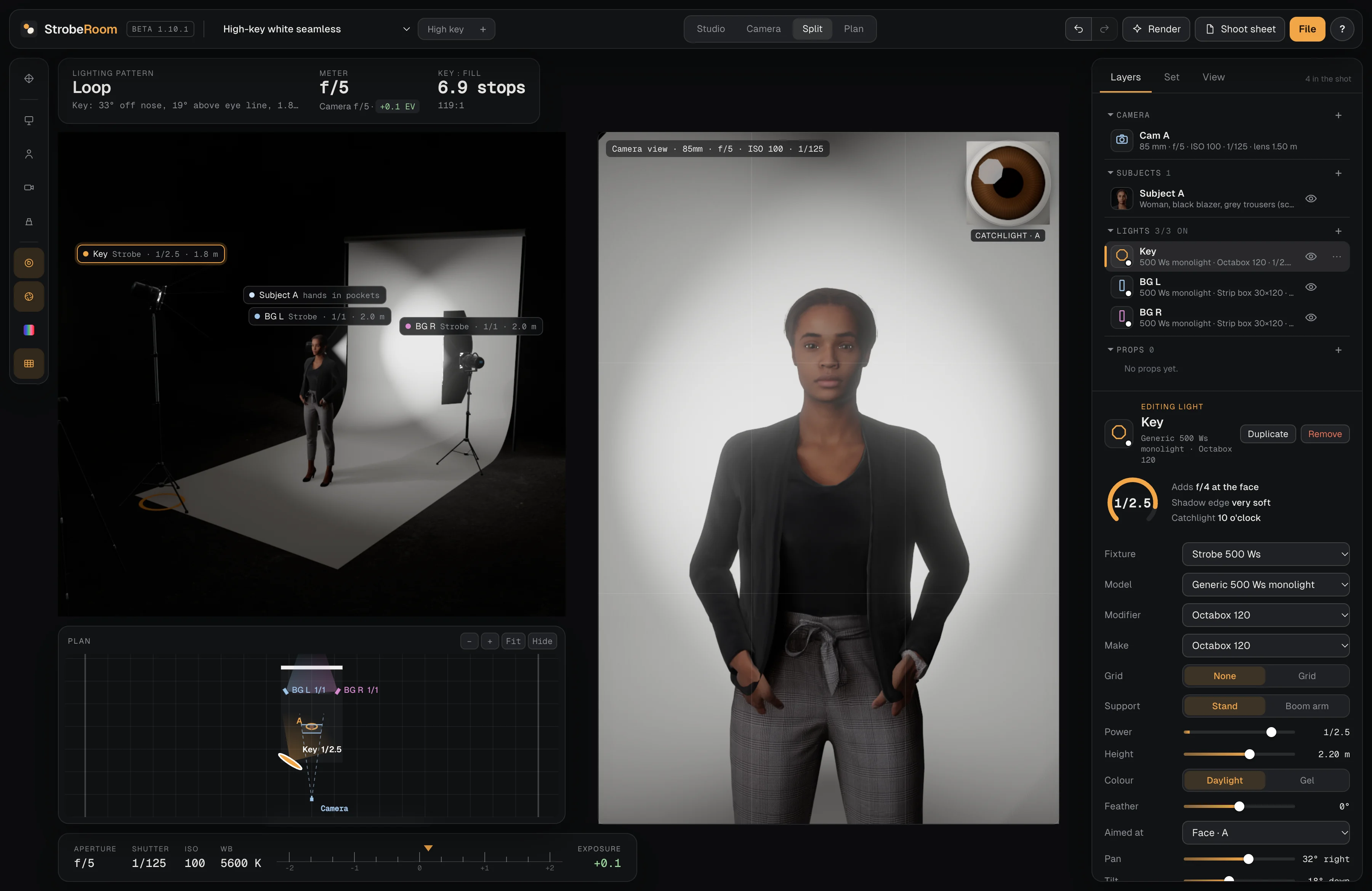
Put StrobeRoom on the projector and switch setups. The shadow moves on the face, and the pattern, the meter at the face and the key-to-fill ratio change with it, as many times as the class needs to see it.
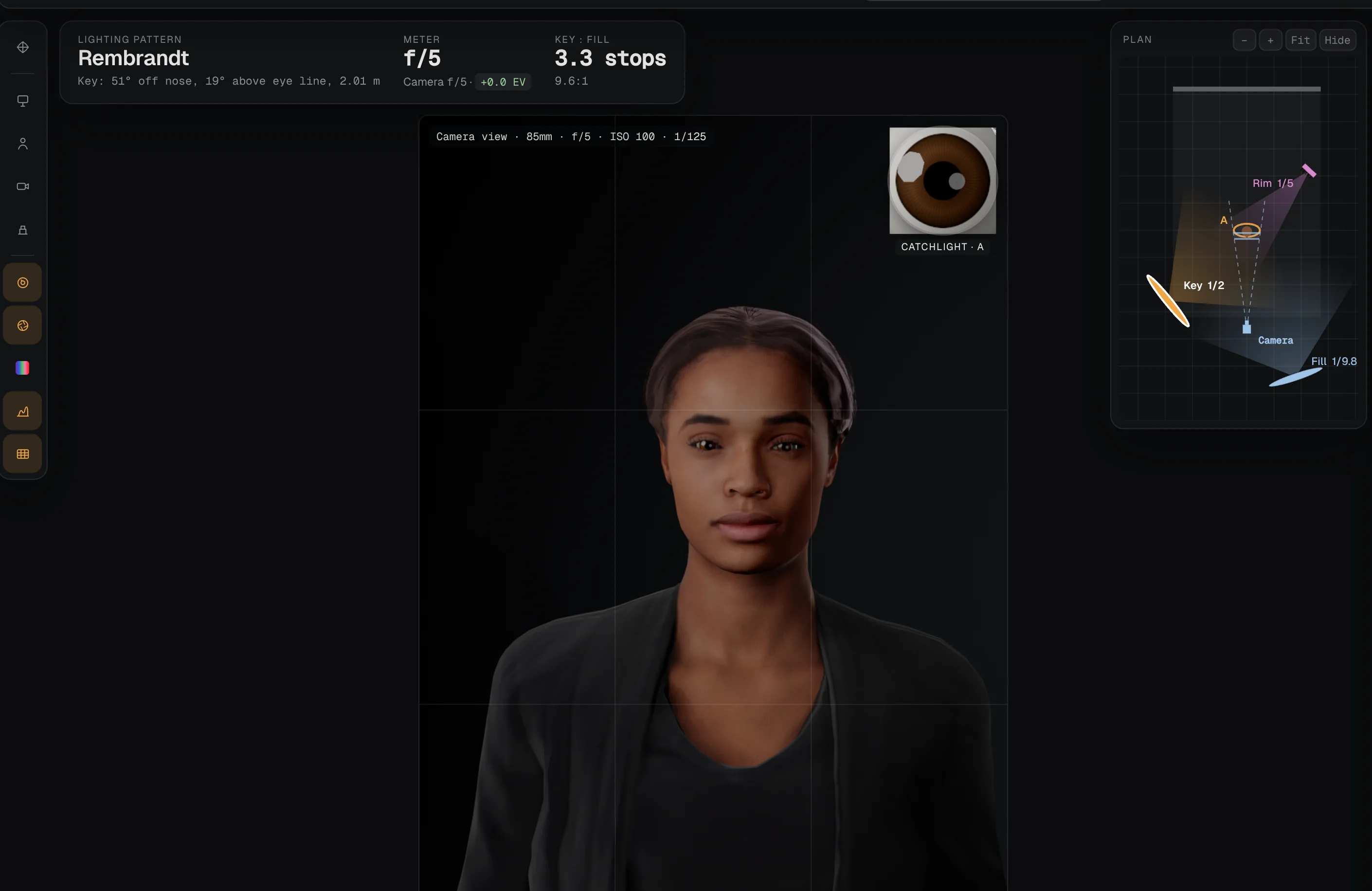
An octabox key, a shoot-through umbrella for fill and a strip box as a rim. Ask the class: where's the triangle of light?
One 90 × 60 cm softbox and nothing else. With no fill, the shadow side falls away: a ratio students can read as a number.
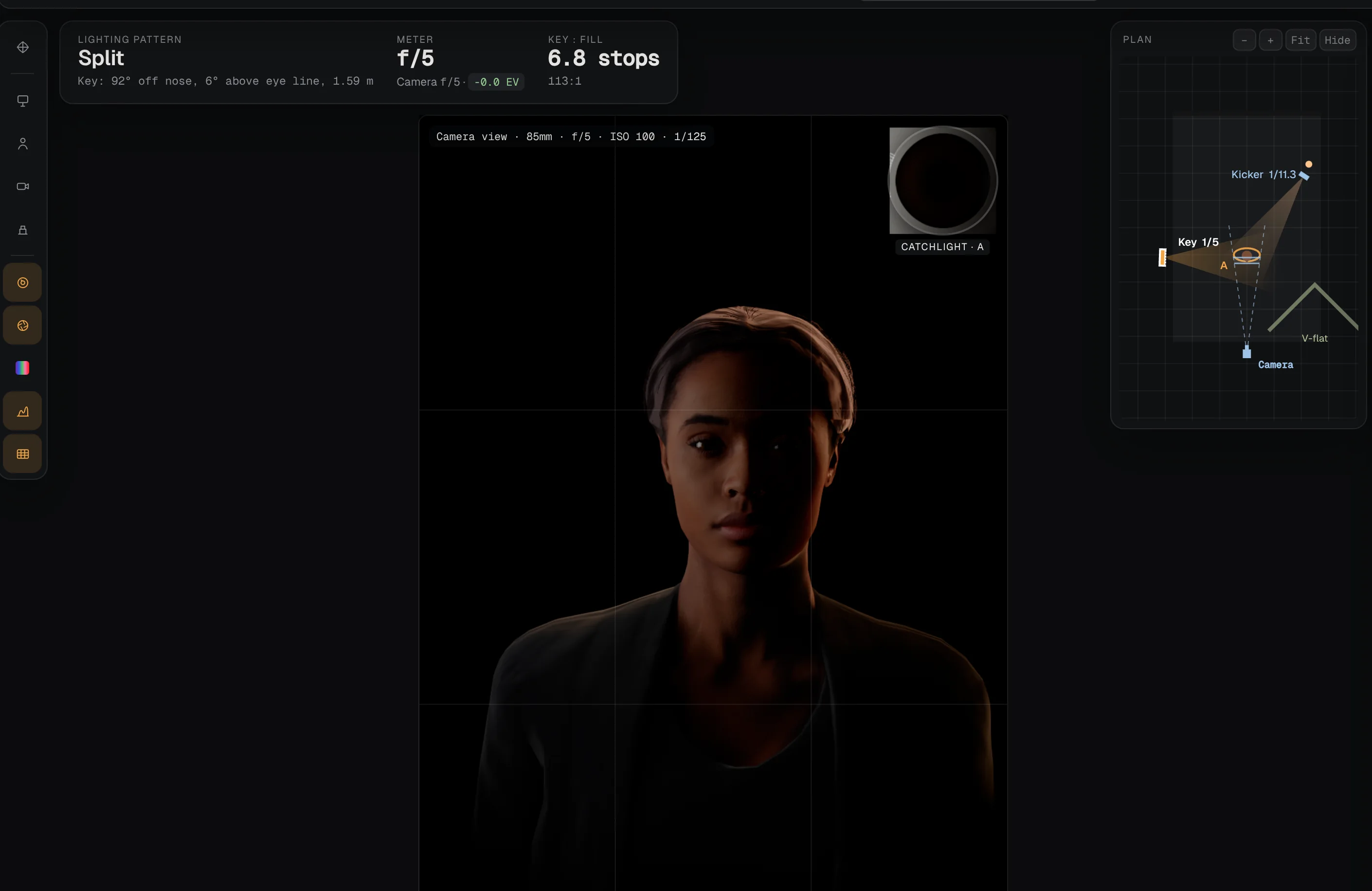
A gridded strip box from the side, a Fresnel kicker behind her and a V-flat.
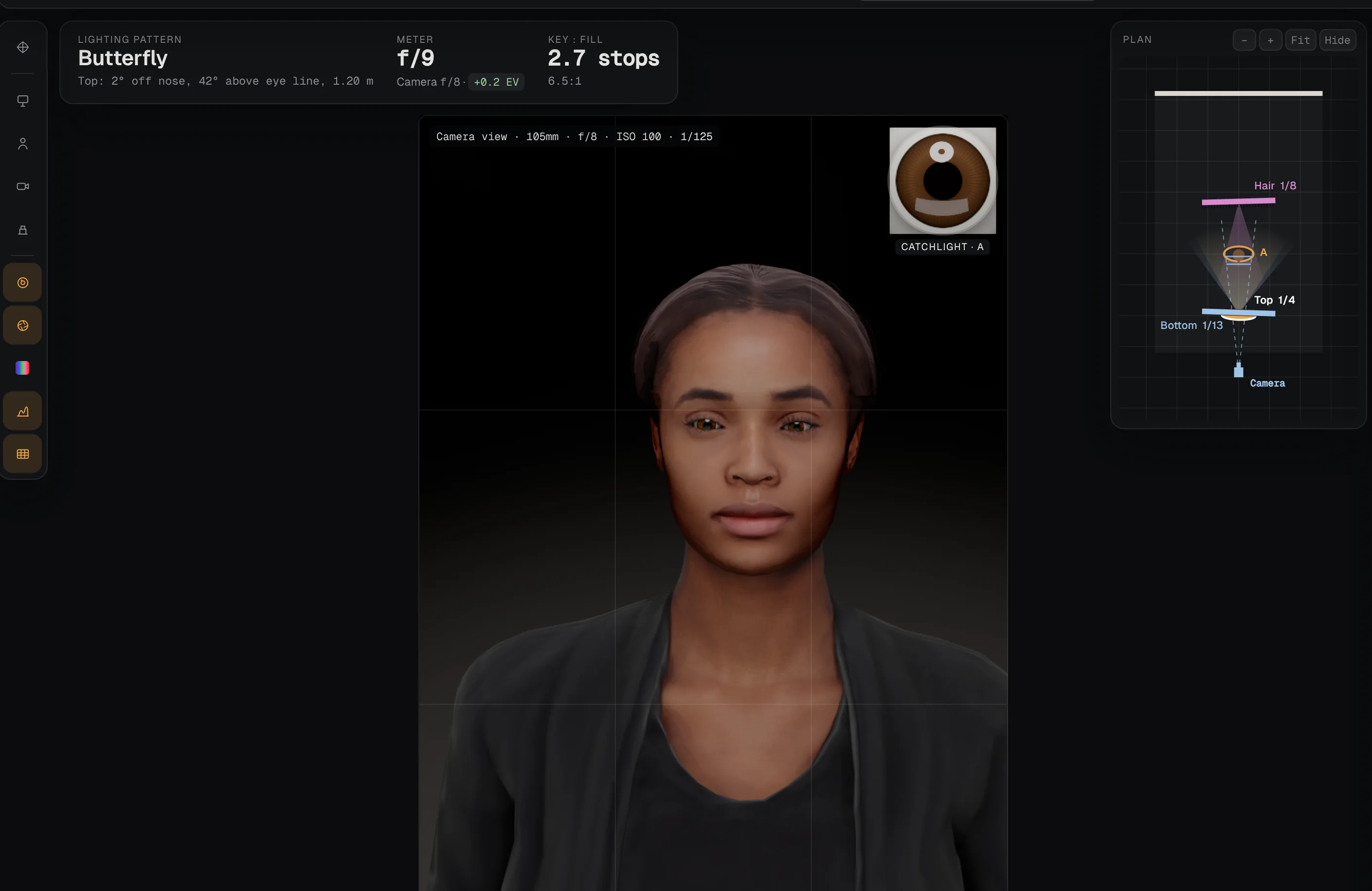
A beauty dish above, a strip box below and a strip on the hair. Both catchlights show in the eye.
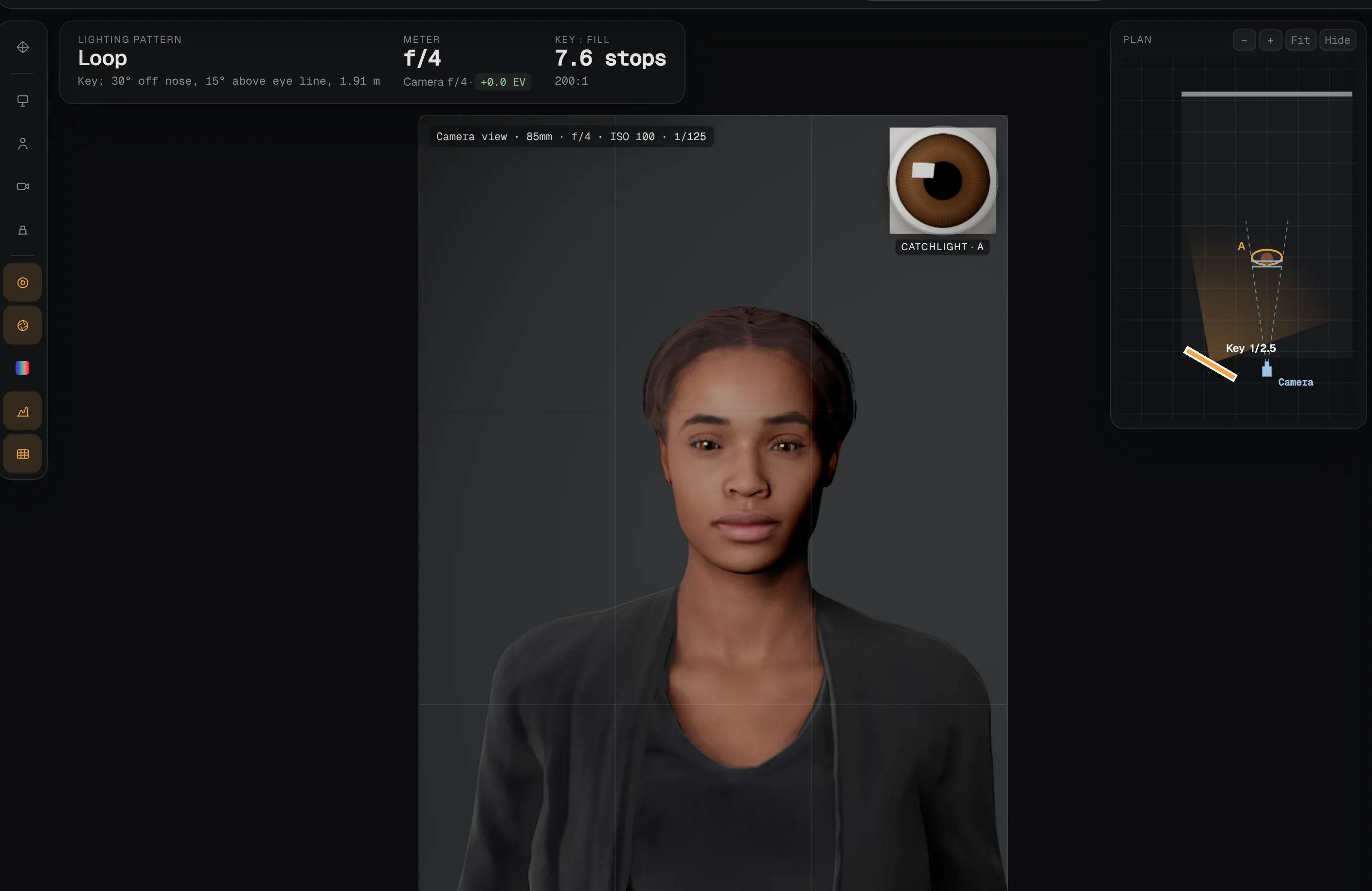
Carla, one of the people in the cast, in four of the app's presets. The readouts are StrobeRoom's own.
Set a brief the way you would for the studio. Students build it on a lab computer, check it through each camera, and export a two-page shoot sheet. What you'd check in the studio is on the page.
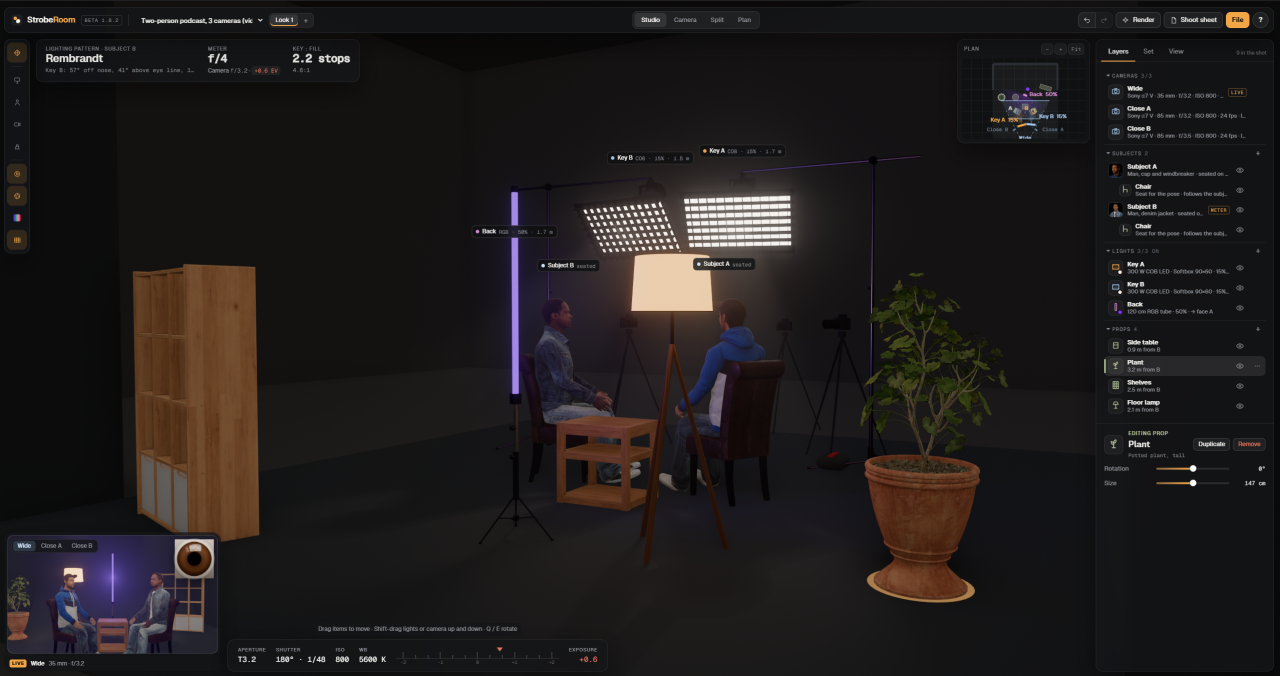
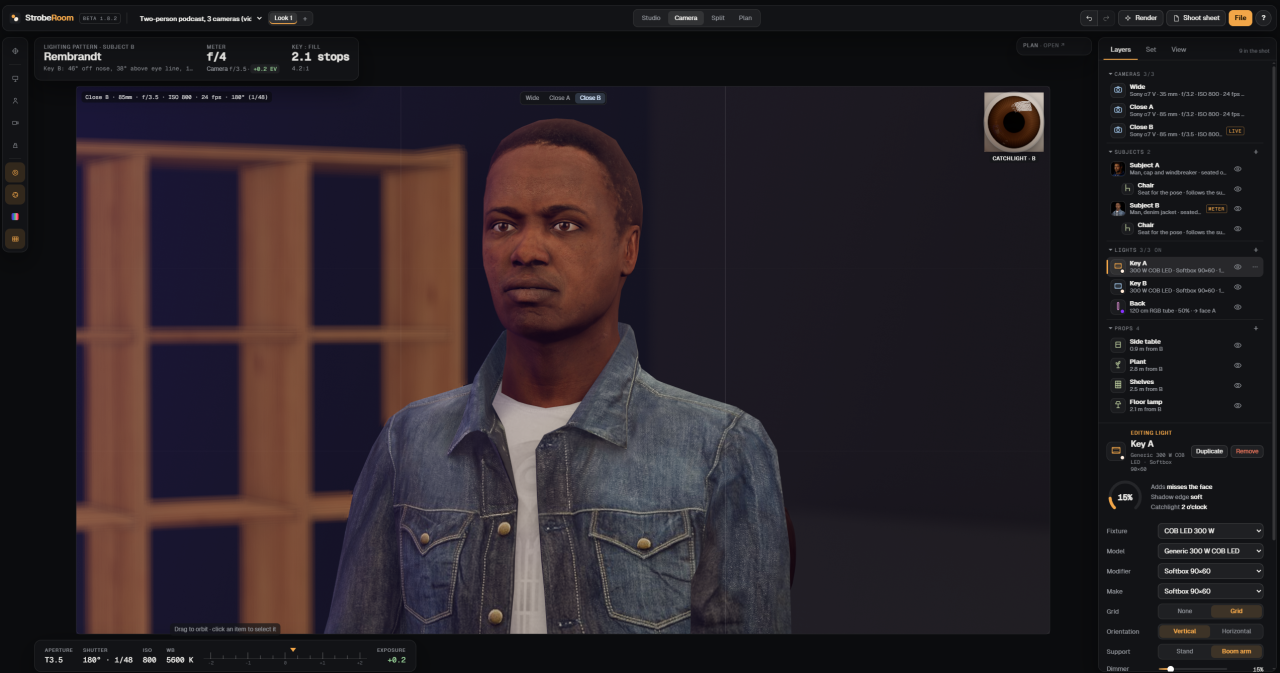
Two guests at a small table, one wide and two close-ups. Rembrandt on both guests, key to fill about 2:1, T3.5 at ISO 800, 24p with a 180° shutter, 5600 K. Separate them from the wall with a back light. Hand in the shoot sheet as a PDF.
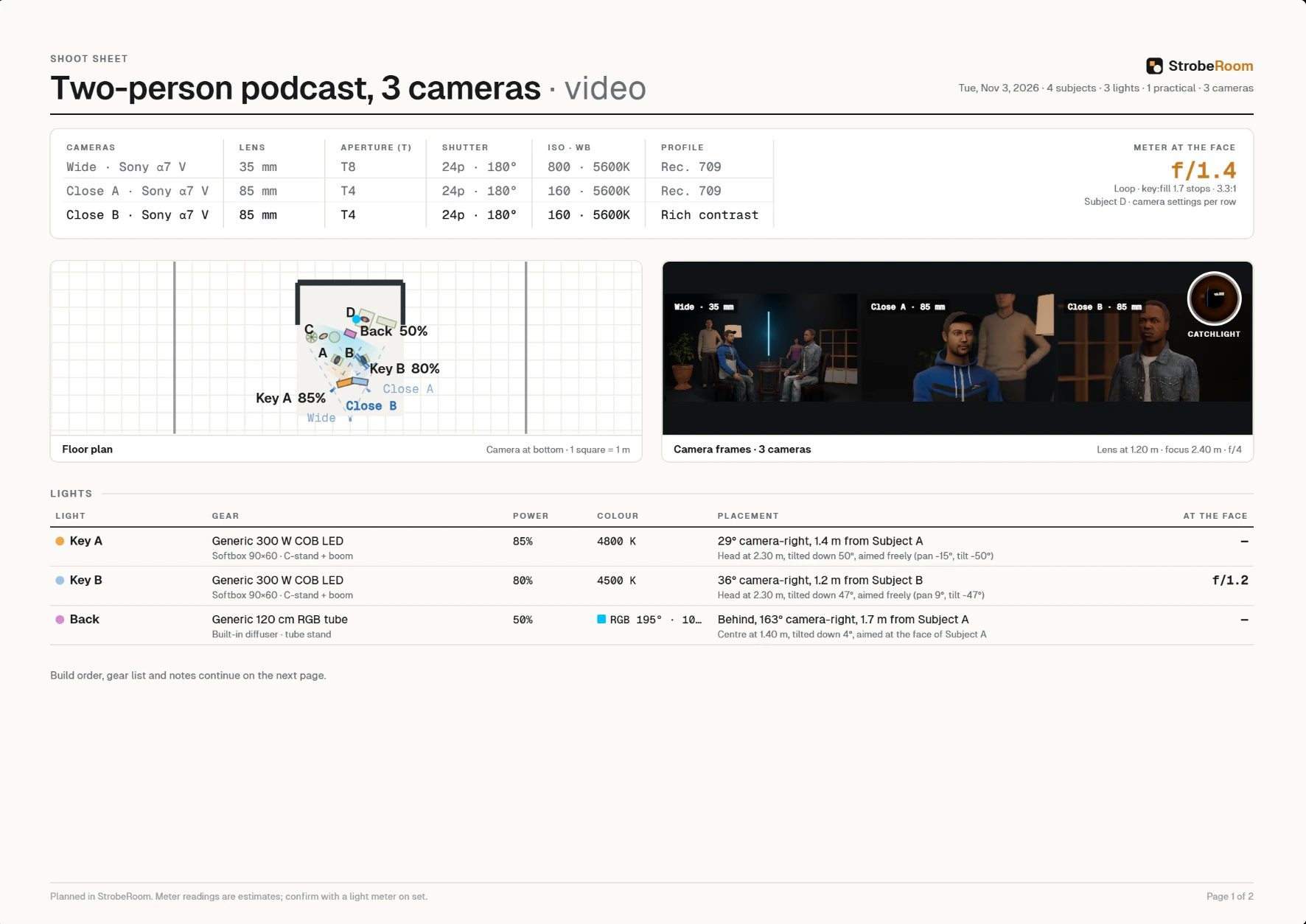
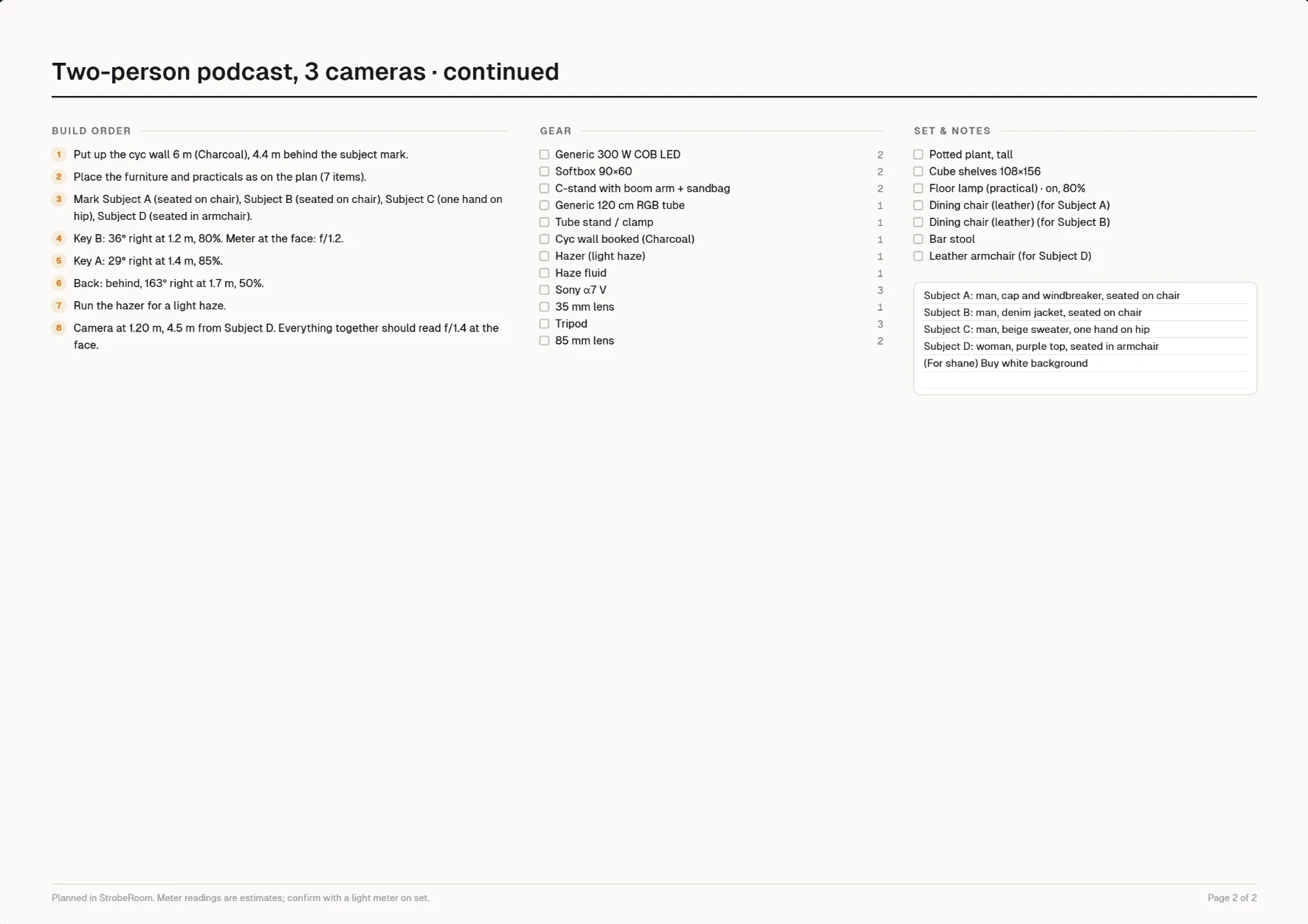
Students arrive with their sheet: where each stand goes, how high and how bright each light is, and what the meter should read when it's all up. Studio time goes to rigging, shooting and the questions the plan raised.
The build order from the sample sheet, as StrobeRoom printed it. Meter readings are estimates: confirm with a light meter in the studio.
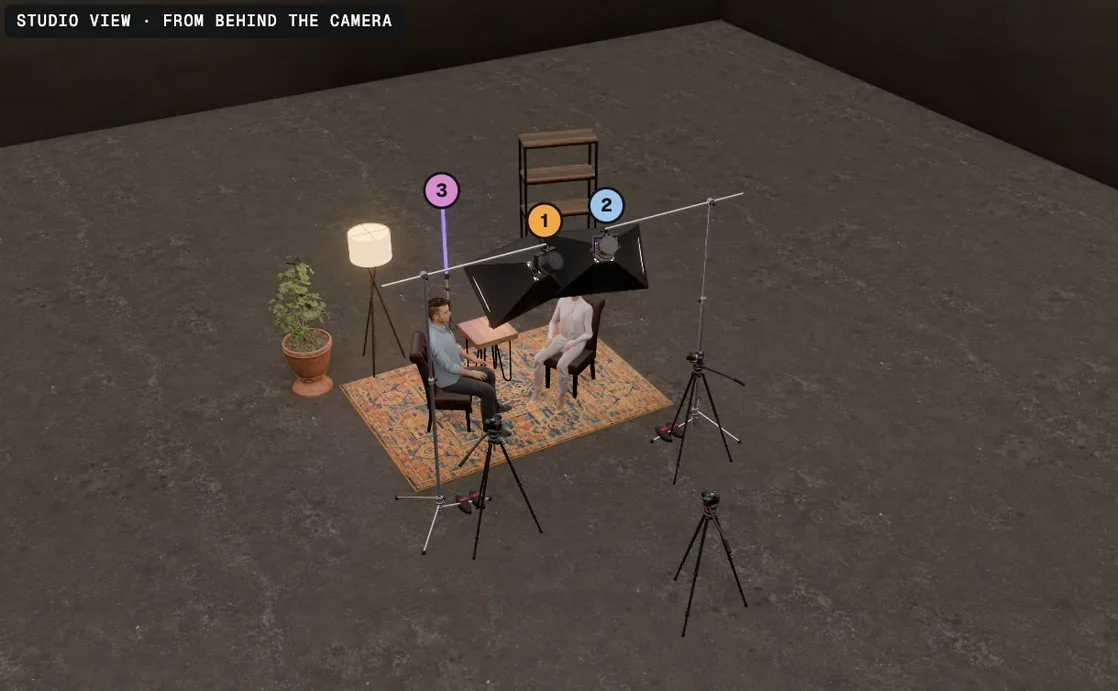
The same tools work for a portrait class and a production class: lighting patterns and ratios for photography, log profiles and multi-camera setups for video.
Rembrandt, loop, split and butterfly, named by the app as the key light moves.
Key to fill in stops and as a ratio, for each person in the shot.
Move a light closer or further and watch the meter at the face change, with the modifier's own light loss.
Softboxes, octas, strip boxes, umbrellas and beauty dishes, with grids, plus flags, silks, reflectors and V-flats.
Colour temperature in kelvin, gels and RGB fixtures, and white balance on the camera.
Aperture, shutter, ISO and depth of field on 101 camera bodies and their lenses.
Log profiles as they record, your own LUTs, up to three cameras and a dolly move.
Floor plans, build orders and gear lists on a two-page shoot sheet.
Three people usually decide whether a tool comes into a course. Here's what each of them gets.
Demonstrate on the projector, set briefs, and mark shoot sheets instead of guessing from a final photo.
Bought once and invoiced to the school. Studio bookings go further when the first attempts happen in the lab.
Windows 10 or 11 (64-bit) or macOS 13 or later, and about 2 GB per computer. It works offline, and students don't sign up for anything.
Your course, your term and the computers in your lab, to stroberoom@gmail.com.
We confirm StrobeRoom runs well on those computers before a class depends on it.
Instructors can use the beta with a class while it's in testing. The beta opens in Q2 2027.
One licence per lab computer, invoiced to the school, when StrobeRoom launches.
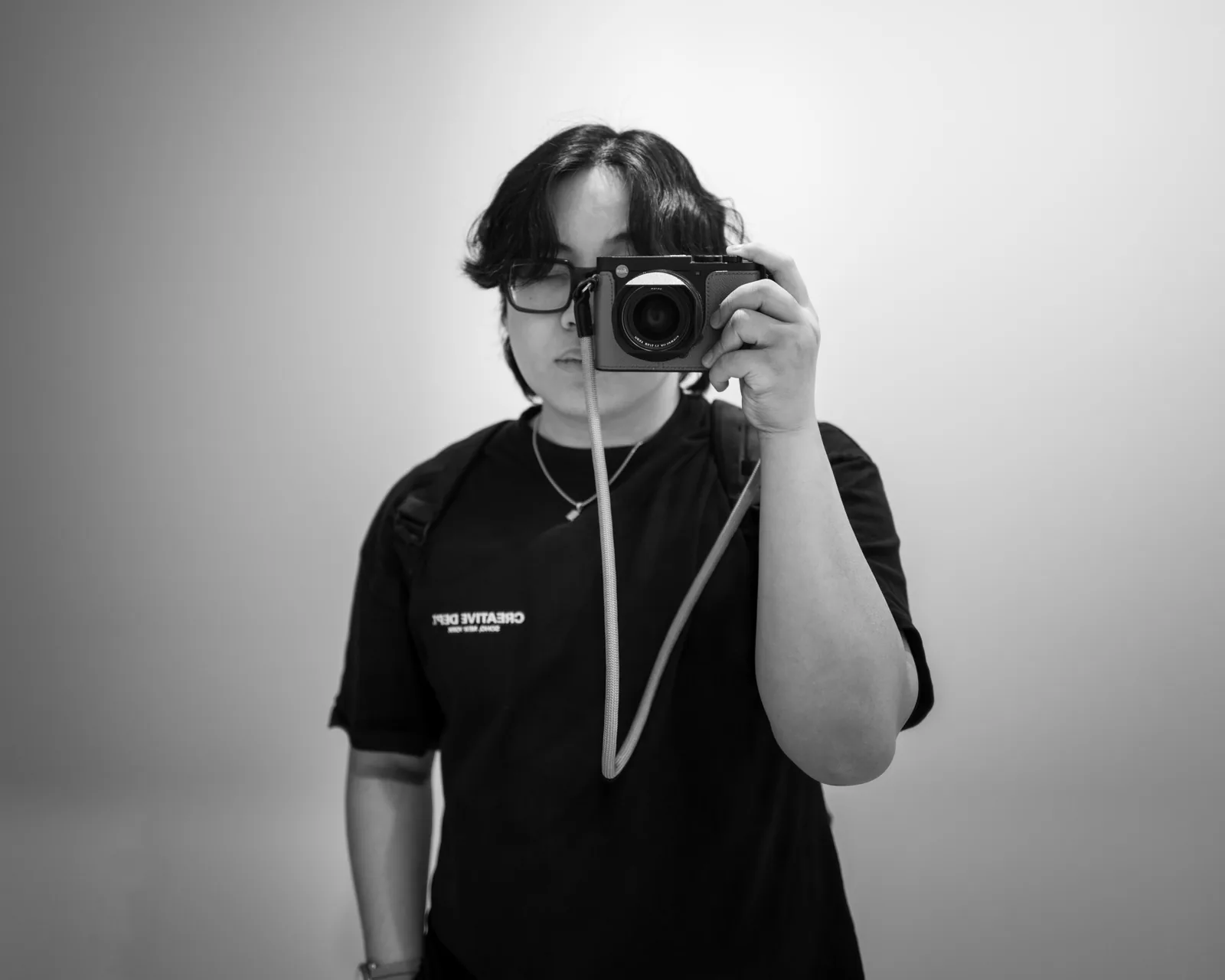
StrobeRoom is made by Tae Bounmy, a photographer in Canada. He started it to make lighting and camera planning easier to learn, practice and bring to set, and he plans his own shoots in it.
Emails about courses, labs and the beta go to him directly, at stroberoom@gmail.com.
Lighting for photography, such as portrait and headshot classes, and lighting for video: interviews, podcasts and small productions. It isn't made for product, food or architecture lighting yet.
One licence per lab computer, by invoice. Email stroberoom@gmail.com with the number of computers and we'll send a quote.
Yes. Instructors can request a place in the beta, planned for Q2 2027 on Windows and macOS, and use it with a class while it's in testing.
No. It moves the planning and the first attempts off the studio floor, so studio time goes to rigging, shooting and refining.
No. There are no accounts, and the seats go on the lab computers. Students who want it at home can buy their own licence when StrobeRoom launches.
Nothing about the student. There are no accounts, setups are saved as files on the computer, and shoot sheets export as PDF or PNG. The privacy policy has the details.
It adds up each light at the subject's face from the fixture's output, the modifier's light loss, the distance and the angle, and reads the total in f-stops for your ISO and shutter. It's a planning tool: students should still confirm with a test shot or a light meter in the studio.
Tell us about your course and your lab: stroberoom@gmail.com
StrobeRoom is a 3D lighting and camera planner for Windows and macOS. A photography, film or media course can use it on lab computers to demonstrate lighting on a projector, let every student practise setups with real fixtures, modifiers, camera bodies and lenses, and collect shoot sheets to mark before studio time.